

Sheet-metal nesting in Inventor: 300 parts, 14 sheets to 11
A 15-part cabinet, a 10-station order of 300 parts in three materials, nested with SphereHarness from 14 sheets to 11 with a DXF per layout.

The video plays from YouTube’s privacy-enhanced player only after you click it.
SphereHarness took a 15-part sheet-metal cabinet in Autodesk Inventor, multiplied it for a 10-station order of 300 parts in three materials, and nested each material on its own stock sheets. The whole order fits on 11 sheets instead of 14, with a cut file for every distinct sheet layout.
What was asked
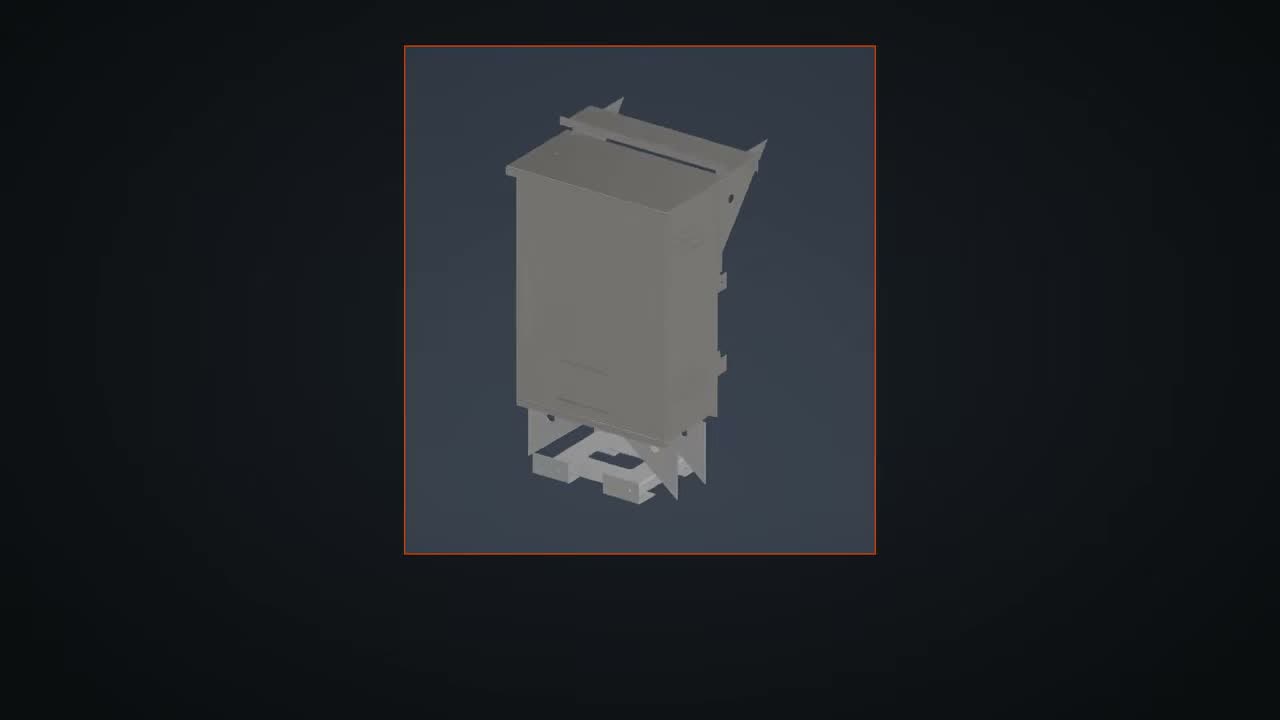
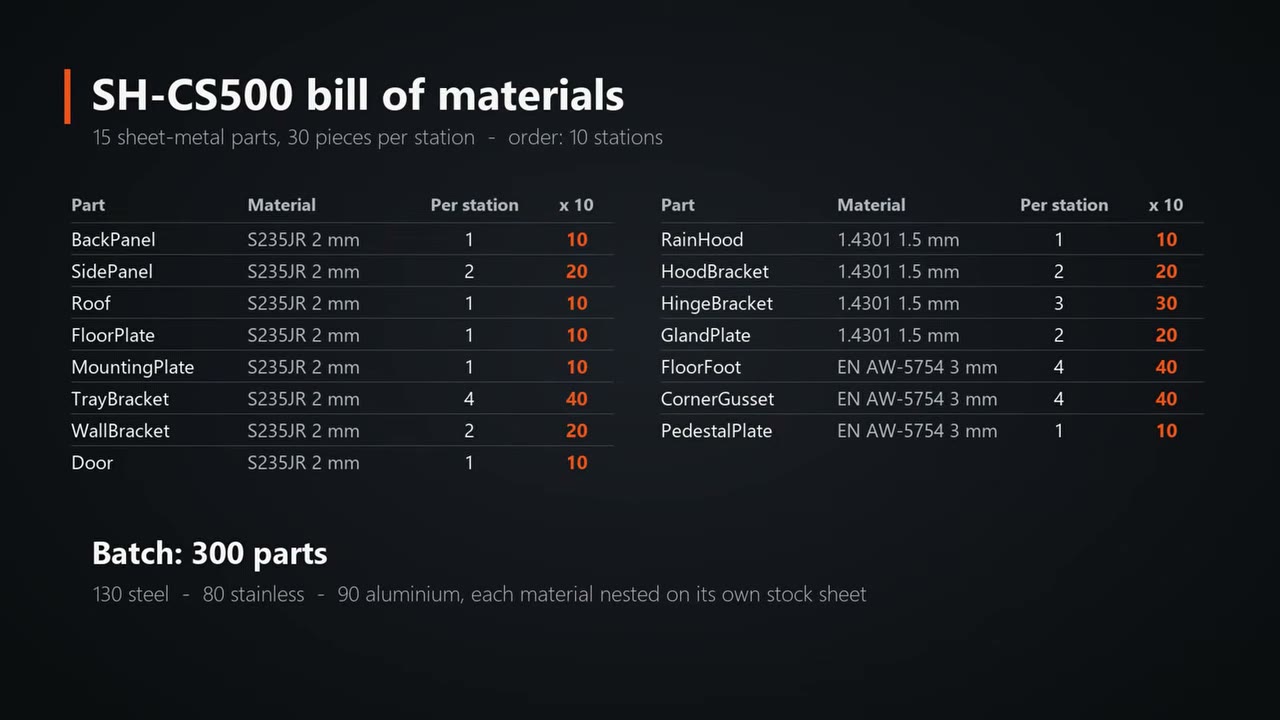
The cabinet is the SH-CS500 conveyor control station, a steel cabinet with a door, a stainless rain hood and an aluminium floor kit. It has 15 different sheet-metal parts and 30 pieces per station. The customer orders 10 stations, so the shop has to cut 300 parts.
What the agent did
Every part is a real sheet-metal part with bends, holes and slots. For each one Inventor developed the flat pattern and SphereHarness exported it as a DXF file with the bend lines on a layer of their own. The batch splits into 130 steel parts, 80 stainless parts and 90 aluminium parts.
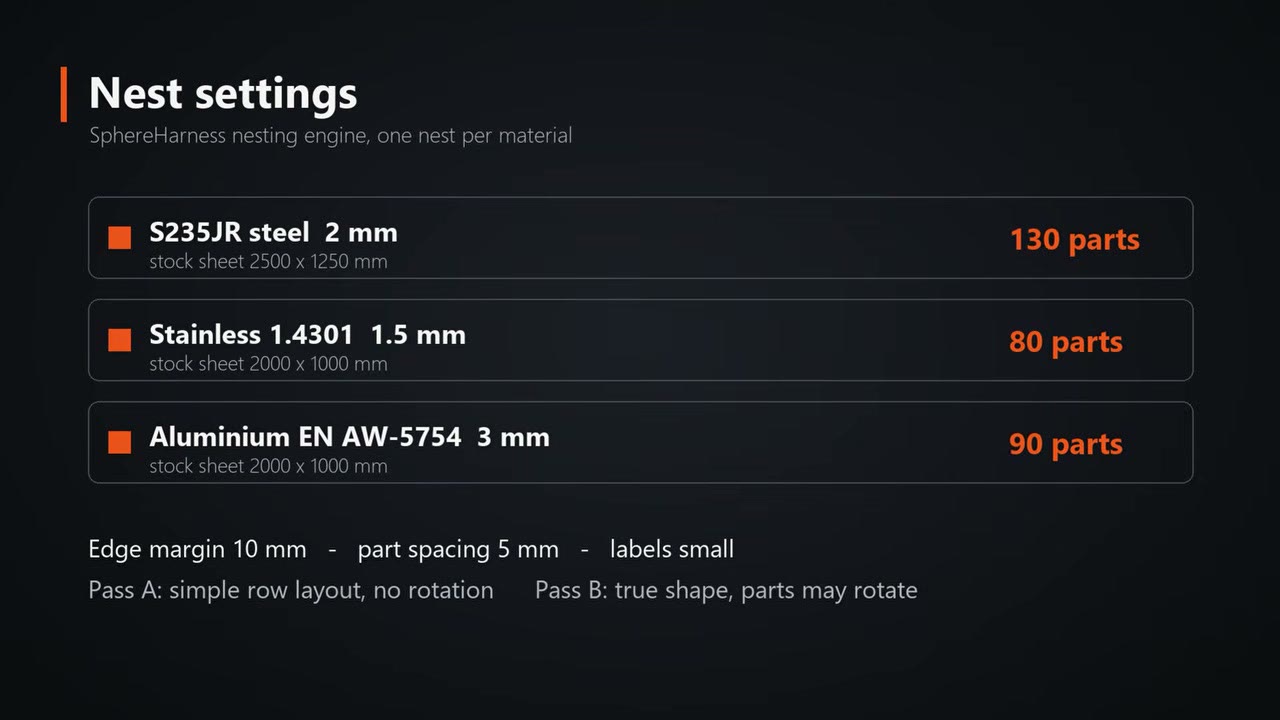
Each material is nested on its own stock sheet: S235JR steel 2 mm on 2500 x 1250 mm sheets, stainless 1.4301 1.5 mm and aluminium EN AW-5754 3 mm on 2000 x 1000 mm sheets. The rules are a 10 mm edge margin and 5 mm between parts. Two passes ran: a simple row layout without rotation, then an optimised true-shape nest where parts may rotate.
What we measured
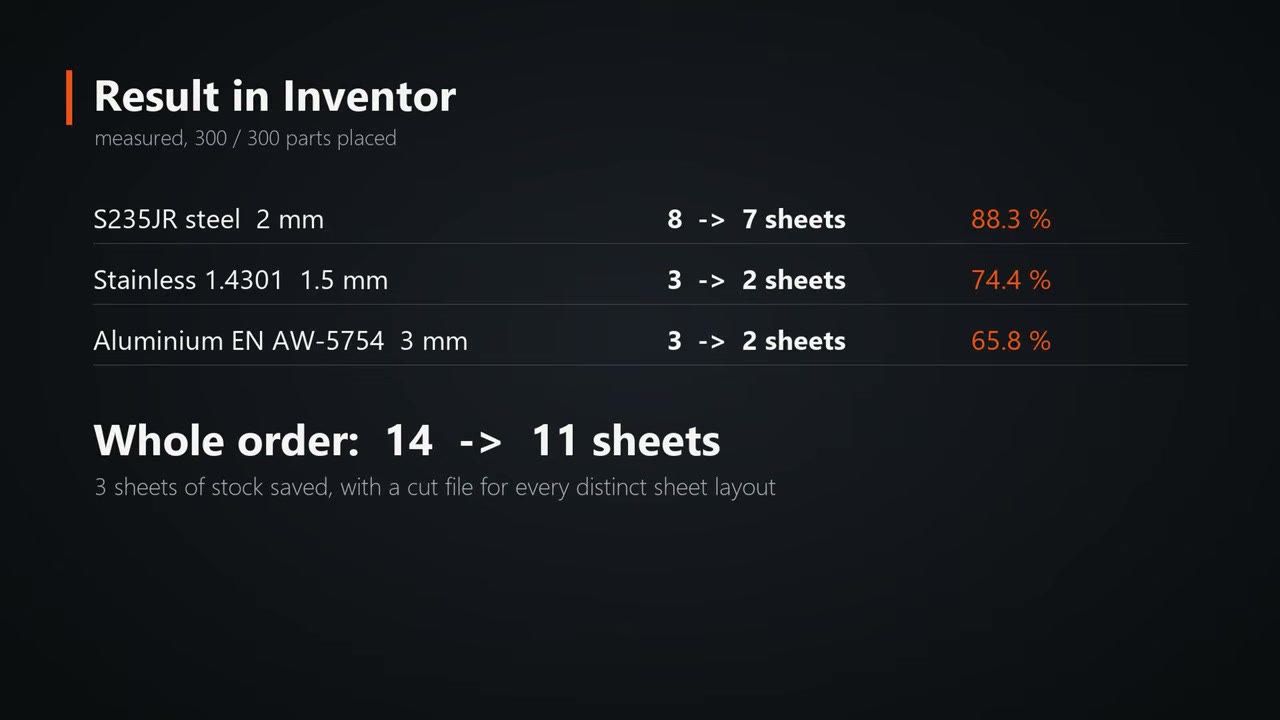
- Steel, 130 parts: 8 sheets at 77.3 % with the simple row layout, 7 sheets at 88.3 % with the optimised nest.
- Stainless, 80 parts: 3 sheets down to 2, at 74.4 %.
- Aluminium, 90 parts: 3 sheets down to 2, at 65.8 %.
- Whole order: 14 sheets down to 11, with all 300 parts placed.
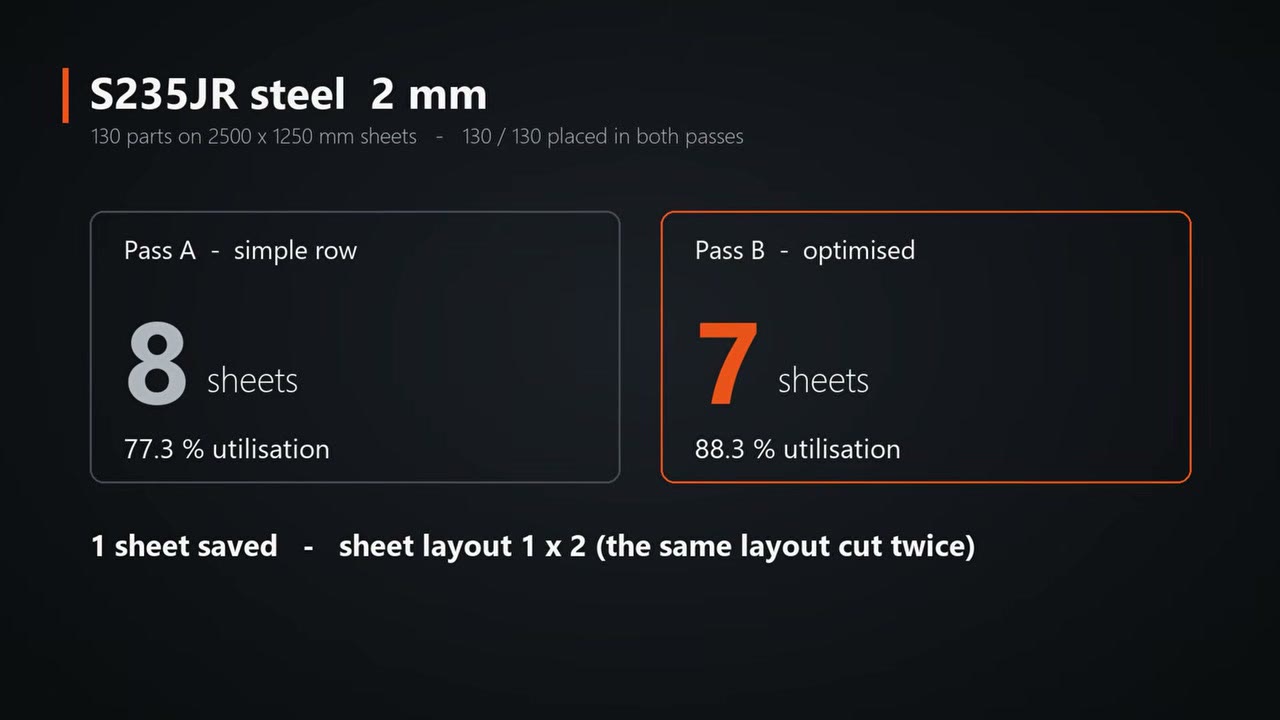
The first steel layout is cut twice. It holds four back panels standing on end side by side, the mounting plates, the roof, a side panel and four tray brackets, 13 parts in all, and 92.9 % of the sheet is used.
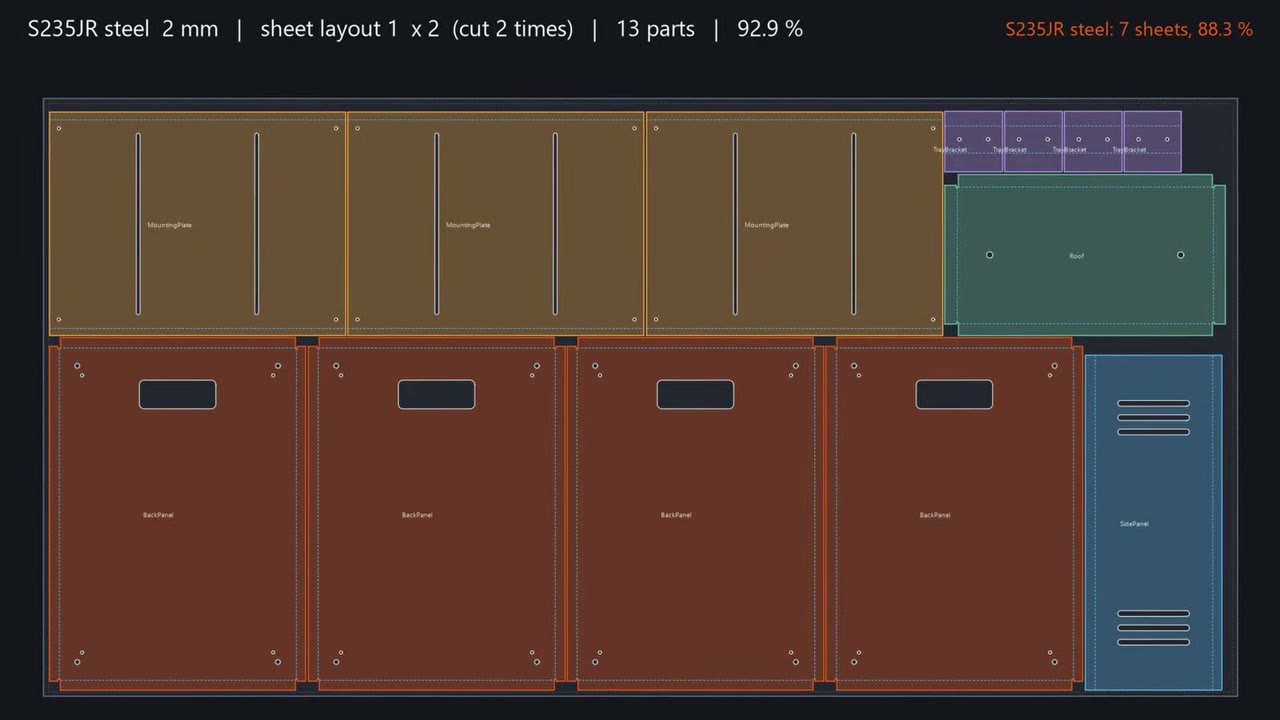
Every distinct sheet layout is written as its own cut file with outlines, holes and bend lines that are marked but not cut, plus a report for each material. SphereHarness then signed into Autodesk Vault by itself and checked the assembly in as version 1 with all 15 parts.
Where the rules come from
The nesting settings come from a shipped knowledge article that explains each nesting algorithm and holds the shop settings. SphereHarness reads it before every nest. A shop that nests differently can add its own algorithm or rules to the knowledge, and the agent follows them from the next request.
Try it yourself
SphereHarness for Autodesk Inventor is described at /inventor, and /help/getting-started walks through the first install and the first request.