

Inventor and Vault by chat on a free AI model: materials, BOM, report
Open parts from Vault or a folder, set steel on four parts, export and import a BOM, write a Word report, from Teams too, on a model with no AI cost.

The video plays from YouTube’s privacy-enhanced player only after you click it.
SphereHarness ran everyday Autodesk Inventor and Vault jobs from plain requests on a free AI model, OpenCode with DeepSeek Flash, and the cost line in the chat read $0. In about a minute it changed four parts to steel, and the masses read back from Inventor rose from 0.167 to 1.314 kg on the base plate alone.
What was asked
The video runs five jobs in a row. First, find a hinge bracket in Autodesk Vault and open it in Inventor: the agent signed in to Vault, searched it and opened the part in about 50 seconds. It reported where the file lives in the vault, which version it opened and that nothing was checked out, and the measured volume of 11,577 mm³ matched the reference part.
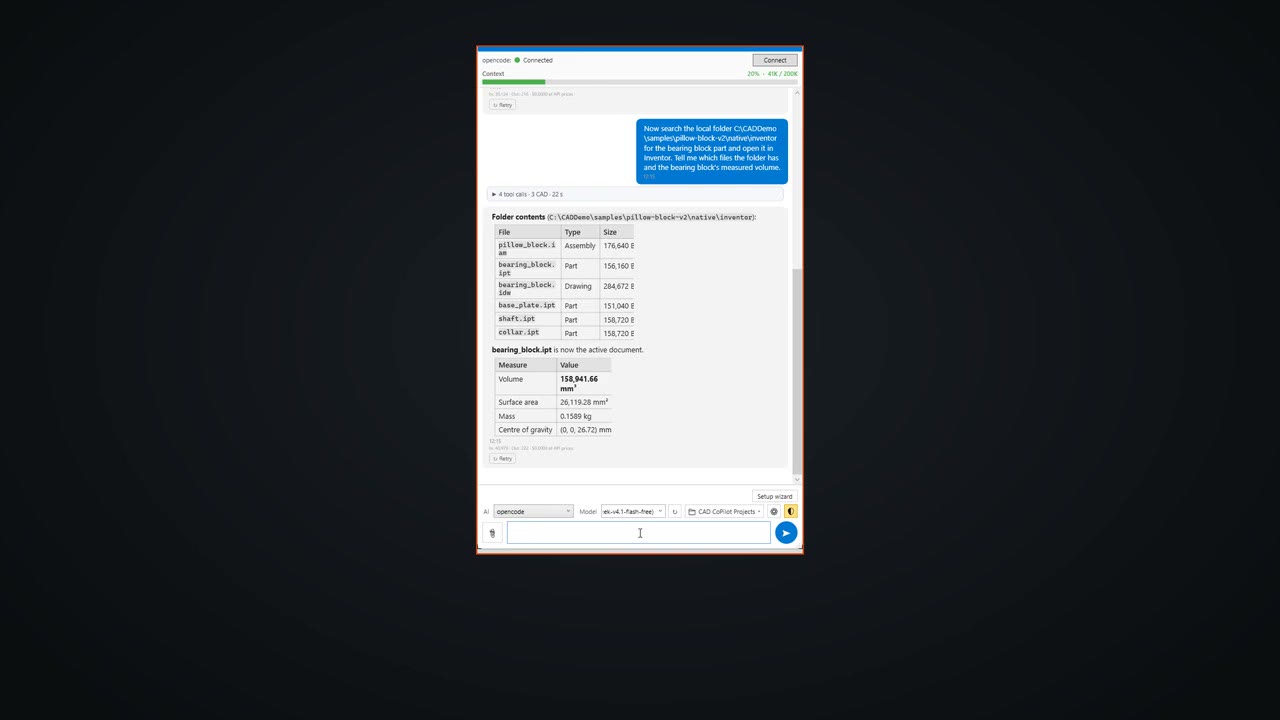
The second request searched a local folder: "Now search the local folder C:\CADDemo\samples\pillow-block-v2\native\inventor for the bearing block part and open it in Inventor. Tell me which files the folder has and the bearing block's measured volume."
What the agent did
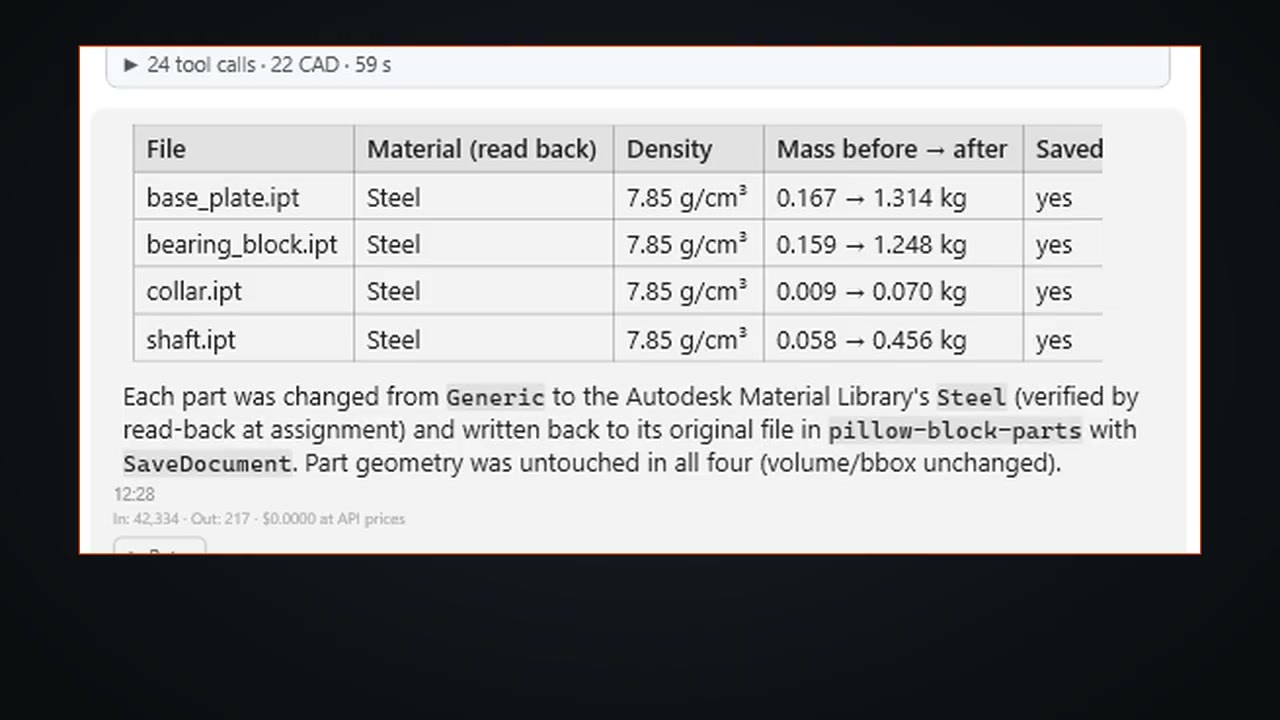
For the material change, one request covered the whole folder: change every part of the pillow block to steel and save it. The agent opened each part in turn, assigned the material and saved the file. In about a minute all four parts were steel, and the table lists every file at 7.85 g/cm³ and confirms each was saved.
A report request for the same folder opened each part, read its material and mass and closed it without saving: base plate 1.3136 kg, bearing block 1.2477 kg, collar 0.0705 kg and shaft 0.4556 kg.
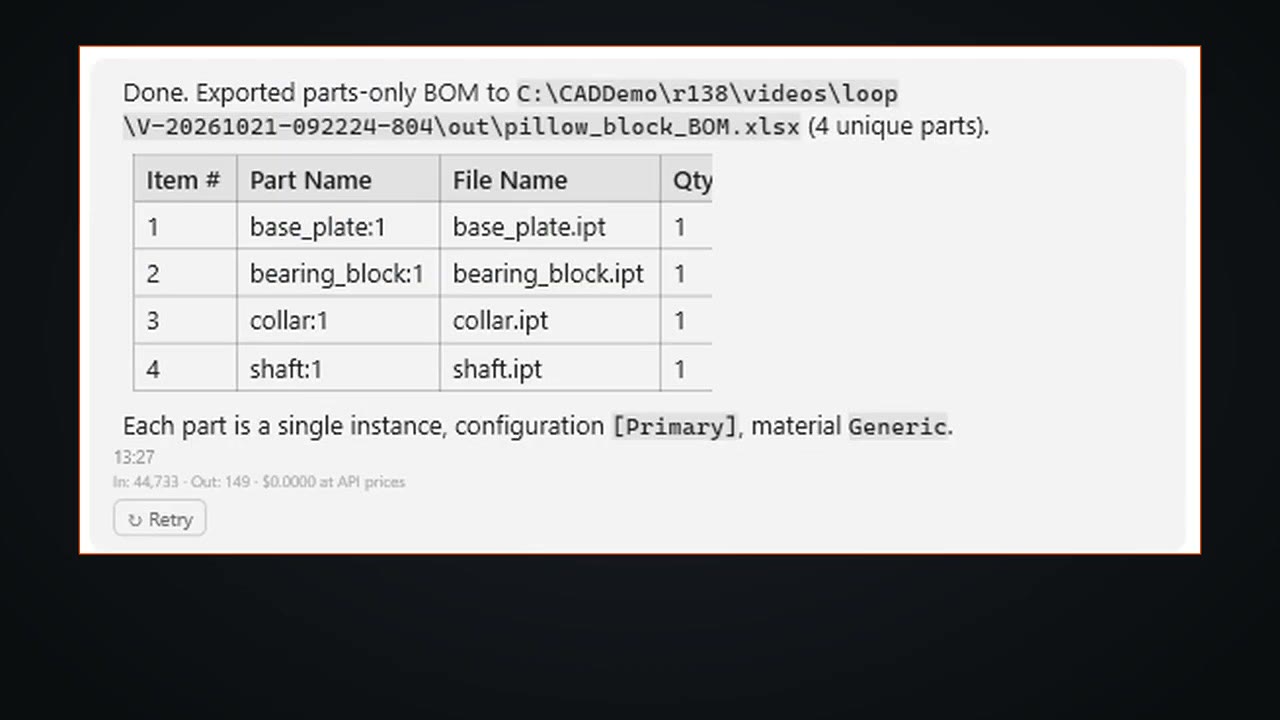
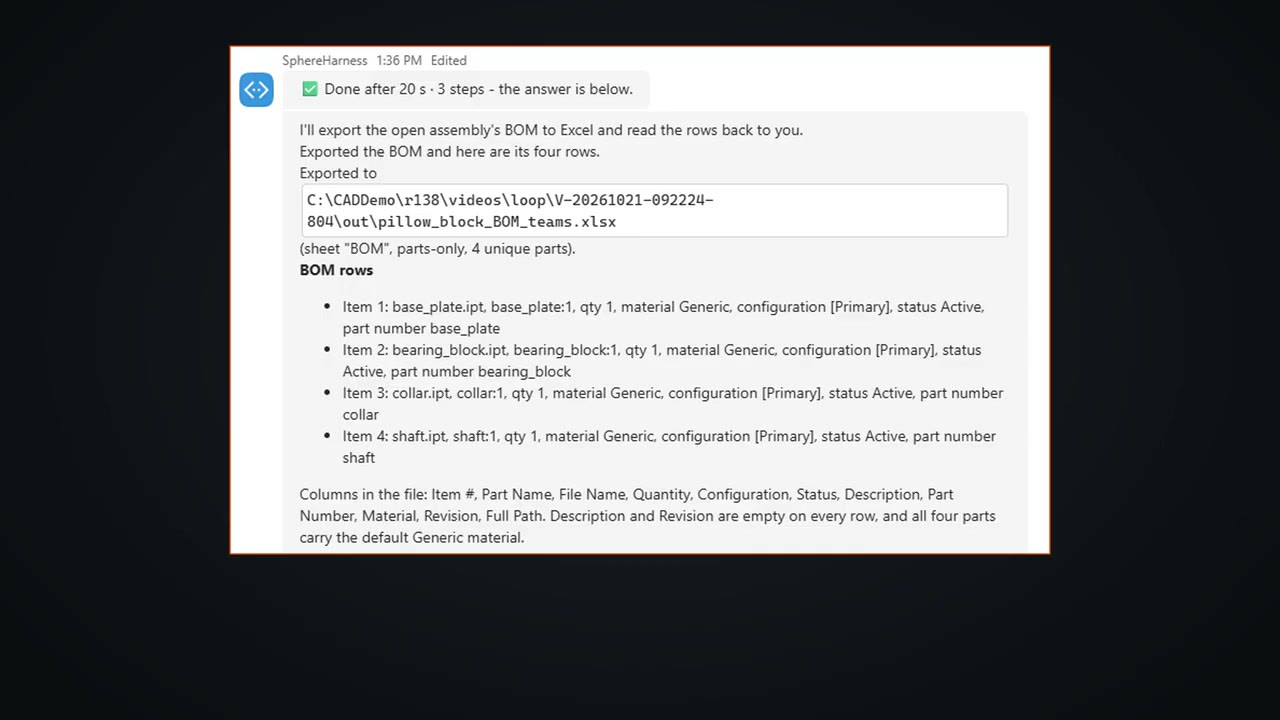
The bill of materials was exported from the pillow block assembly to Excel in about 18 seconds. It lists four parts, one of each.
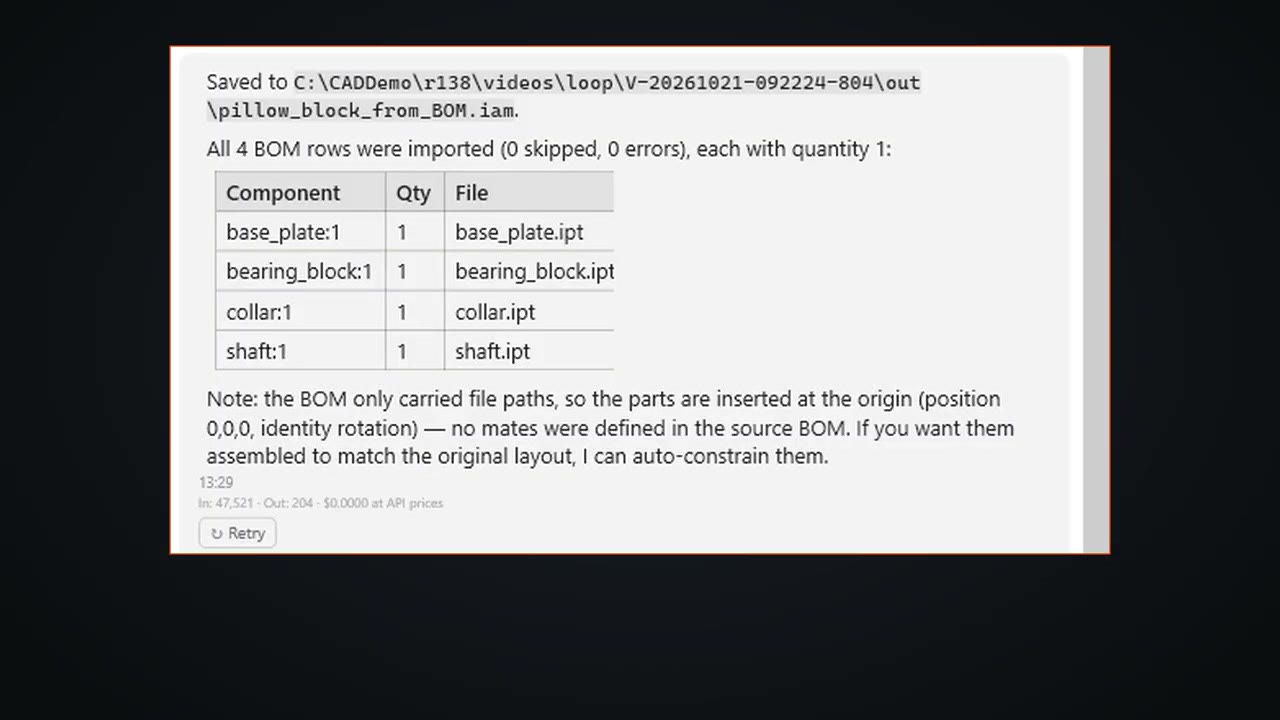
The reverse request built a new assembly from that Excel file in 17 seconds, with all 4 rows imported, 0 skipped and 0 errors.
What we measured
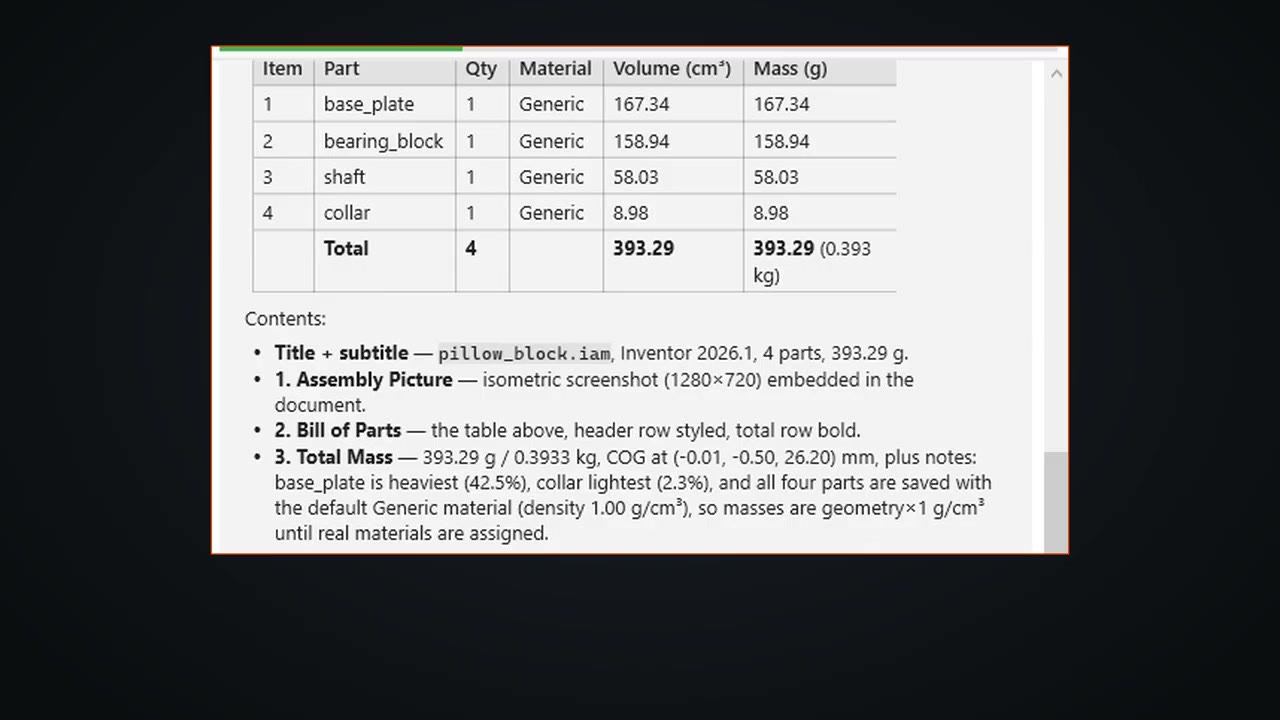
The Word report took under 2 minutes. It holds a title, an isometric assembly picture, a parts table with quantity, volume, mass and material, and the total: 393.29 g, with the parts still on the default Generic material.
What did not work
The BOM import carried only file paths, so the agent placed the four parts at the origin and said plainly that no mates were defined in the source BOM. It offered to constrain them but did not do so in this video.
From Teams
The last job came from Microsoft Teams. The message began "Export the BOM of the pillow block assembly that is...", and the reply came back after 20 seconds in 3 steps with the four BOM rows and the path of the exported Excel file.
Try it yourself
SphereHarness for Autodesk Inventor is described at /inventor, and /help/getting-started walks through the first install and the first request.