

Parametric bicycle in four sizes with Siemens NX and Teamcenter
A saved skill builds a bicycle in Siemens NX 2306, a journal makes it expression-driven, and four sizes (1,366 to 1,847 mm) go to Teamcenter with drawings.

The video plays from YouTube’s privacy-enhanced player only after you click it.
A saved skill built a bicycle in Siemens NX 2306 with Teamcenter, a journal made it fully expression-driven, and four sizes were generated and saved as Teamcenter items with a drawing each. Overall length runs from 1,366.13 mm for the kids size to 1,846.76 mm for the XL.
What was asked
One request starts NX in Teamcenter mode and builds the bicycle from the saved skill called Parametric bicycle. The skill holds the recipe and its inputs, all as NX expressions: wheel diameter 660, wheel base 1050 and frame size 450 mm.
What the agent did
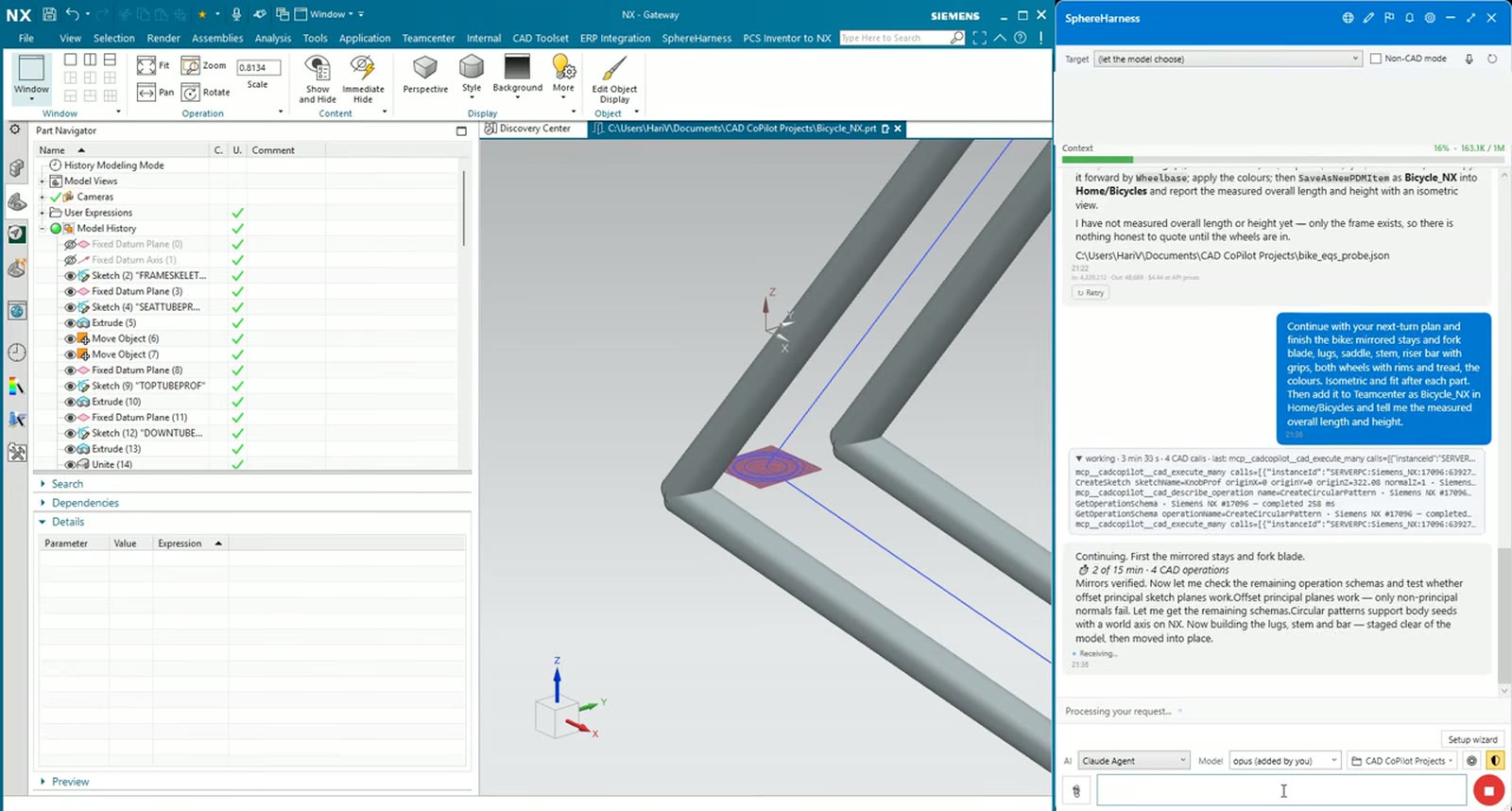
SphereHarness launches NX in managed mode, creates the part and works through the recipe: frame, lugs, stays and fork, saddle and bar, and both wheels with hubs, spokes, rims and tyres. Each feature shows in the part navigator and every CAD call is listed in the chat. When a step does not come out as expected, the agent says so and fixes it. At the end it reads back the measured bounding box, 1720.56 by 441 by 920 mm, and the overall length matches its own expression.
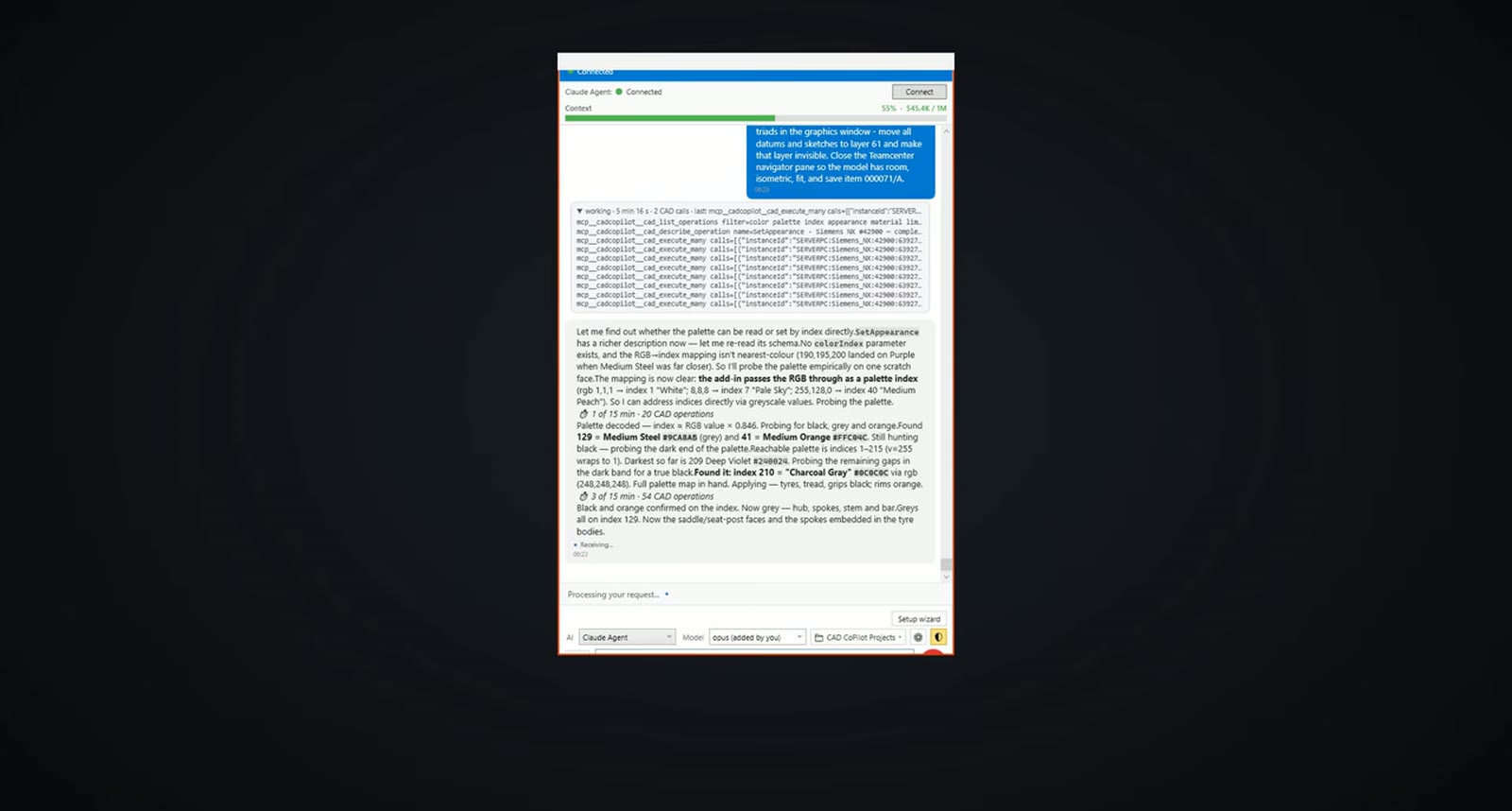
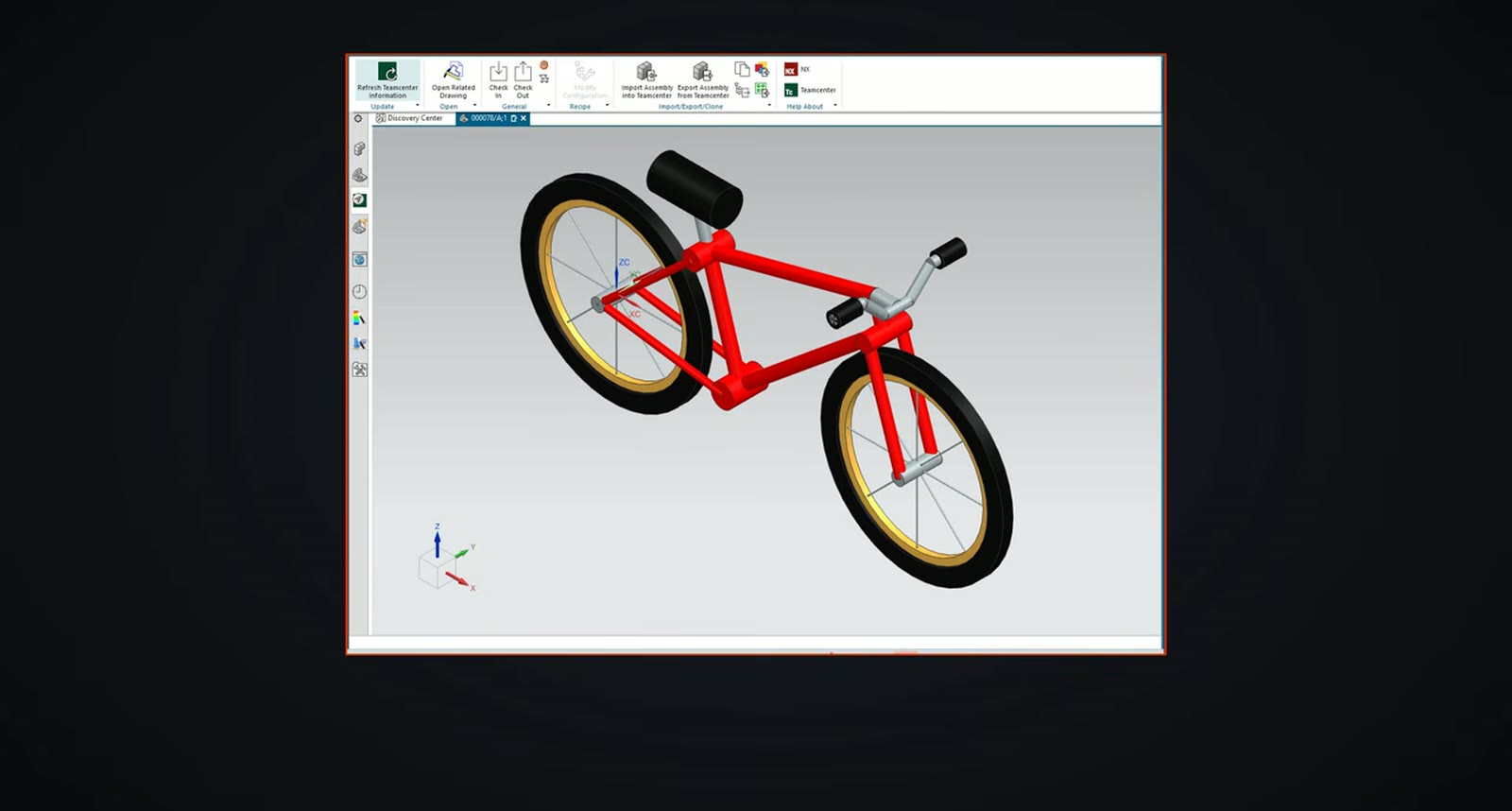
It then saved the bike as a new Teamcenter item in a folder that did not exist yet, creating the folder, placing the item at revision A and checking that the folder lists it. NX colours come from a palette, so the agent read the palette by index, found medium orange, medium steel and charcoal grey, and set tyres, grips and saddle black, hubs, spokes and bar grey, and rims orange.
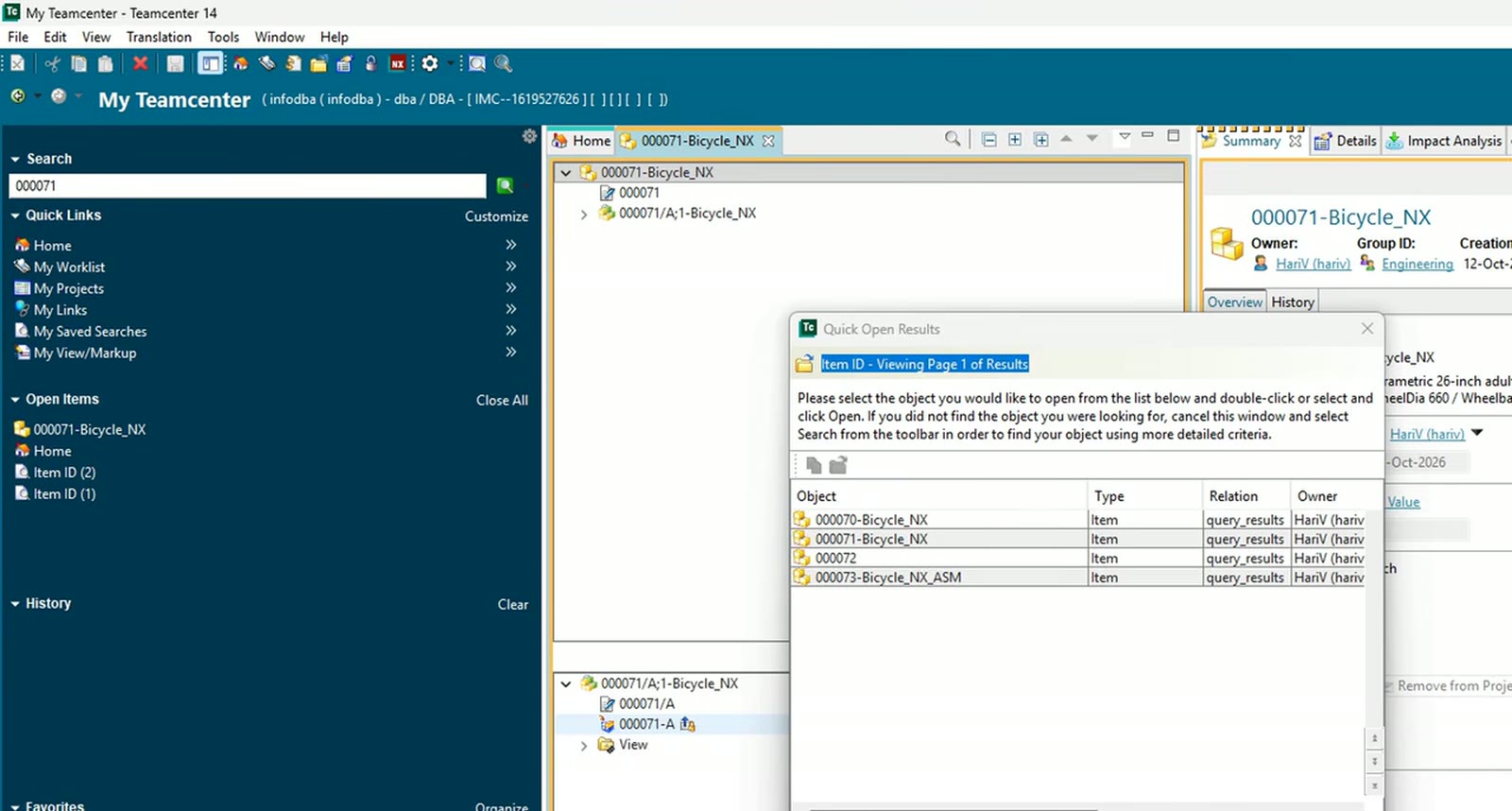
In the Teamcenter rich client the agent signs in with the username typed and the password filled from the Windows credential manager. The video states that nobody sees it, not the viewer, not the chat and not the AI, which only names the saved entry.
Journals for what has no command
There was no ready-made operation for reference sets, and the datum triads cluttered the view. The agent wrote an NXOpen Python journal that creates a model reference set with exactly the 38 solid bodies and blanks every datum coordinate system. The first bike followed the recipe but not every placement was tied to the expressions, so a second journal built the whole bike from expressions.
What we measured
With the kids values 508, 850 and 300, the measured overall length became 1,366.13 mm, and back at the adult values it returned to 1,720.56 mm. A variation template then held the three driving expressions with four rows: kids, youth, adult and XL.
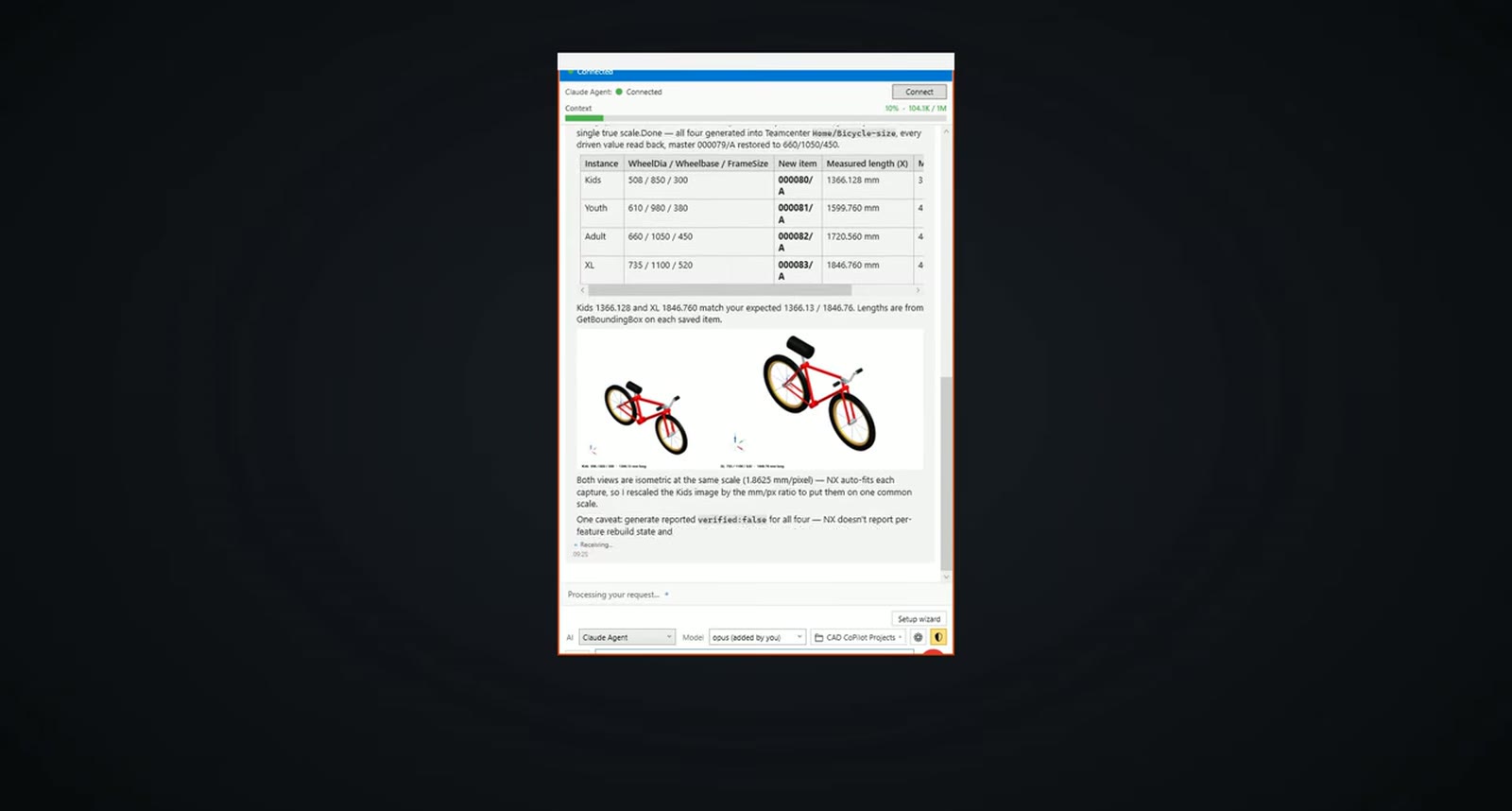
Each size became its own Teamcenter item: kids 1,366.13 mm, youth 1,599.76 mm, adult 1,720.56 mm and XL 1,846.76 mm, measured with GetBoundingBox on each saved item.
What did not work
The chat in this frame carries a caveat: the generate step reported verified:false for all four items, because NX does not report per-feature rebuild state. The lengths were verified from the measured bounding boxes instead.
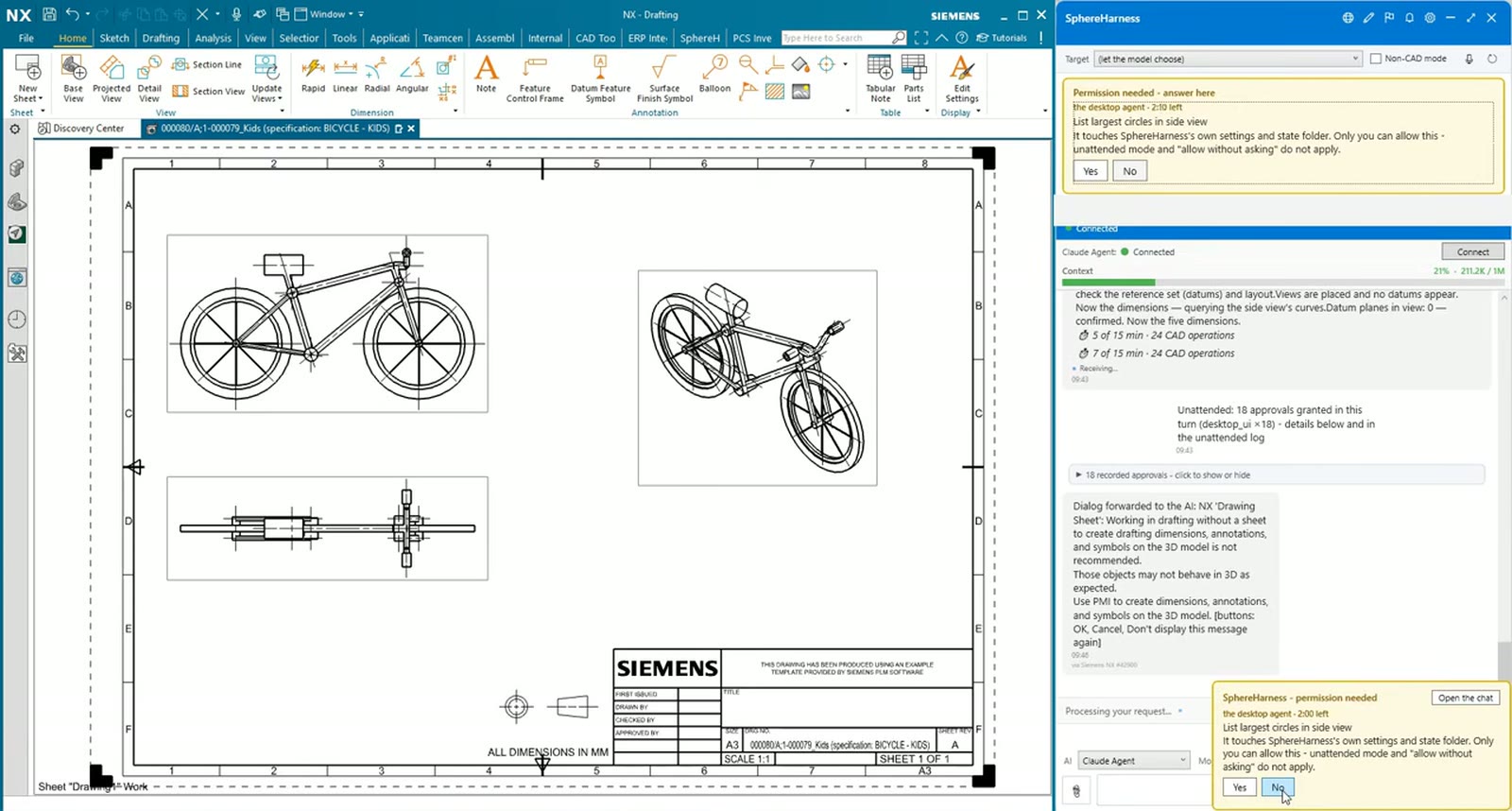
Each size also got its own drawing with side, top and isometric views and dimensions for wheelbase, overall length, tyre diameter and width over the bars. The kids sheet shows 850 and 1,366.1; the XL sheet 1,100 and 1,846.8.
Try it yourself
The NX page is at /nx, and the first-run steps are in /help/getting-started.