

Dumb STEP solids and PDF drawings converted to native NX parts
A pillow block and a 30-component sheet metal cabinet rebuilt in Siemens NX from STEP solids and PDF drawings, with flat patterns at K factor 0.44.

The video plays from YouTube’s privacy-enhanced player only after you click it.
A pillow block and a sheet metal cabinet that arrived as STEP solids and PDF drawings were rebuilt in Siemens NX as editable parts, assemblies and drawings. The cabinet door flattens to 529 x 729 mm, the same as on the source drawing, with the K factor of 0.44 given in the request.
What was asked
The inputs are STEP files with no history and PDF drawings, the kind of data that arrives from other systems. The video follows two jobs: a pillow block, then a sheet metal cabinet.
What the agent did with the pillow block
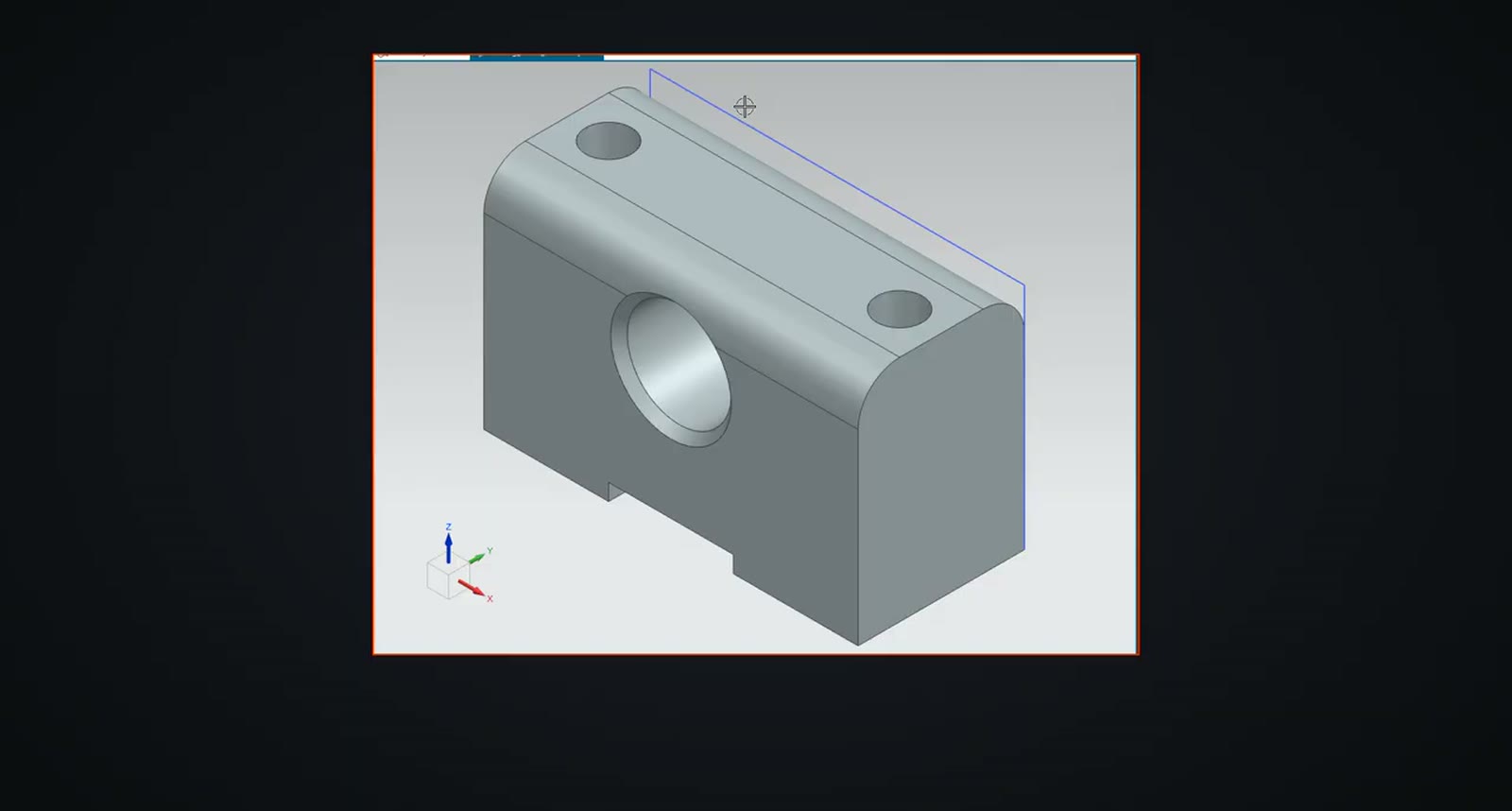
The agent rebuilt the bearing block as a sketch, an extrusion, holes, chamfers and a blend. Its own check found the part slightly heavy, because the bore chamfers were missed. It read that from the measured volume, added both chamfers, and the part then matched the STEP to under a cubic millimetre.
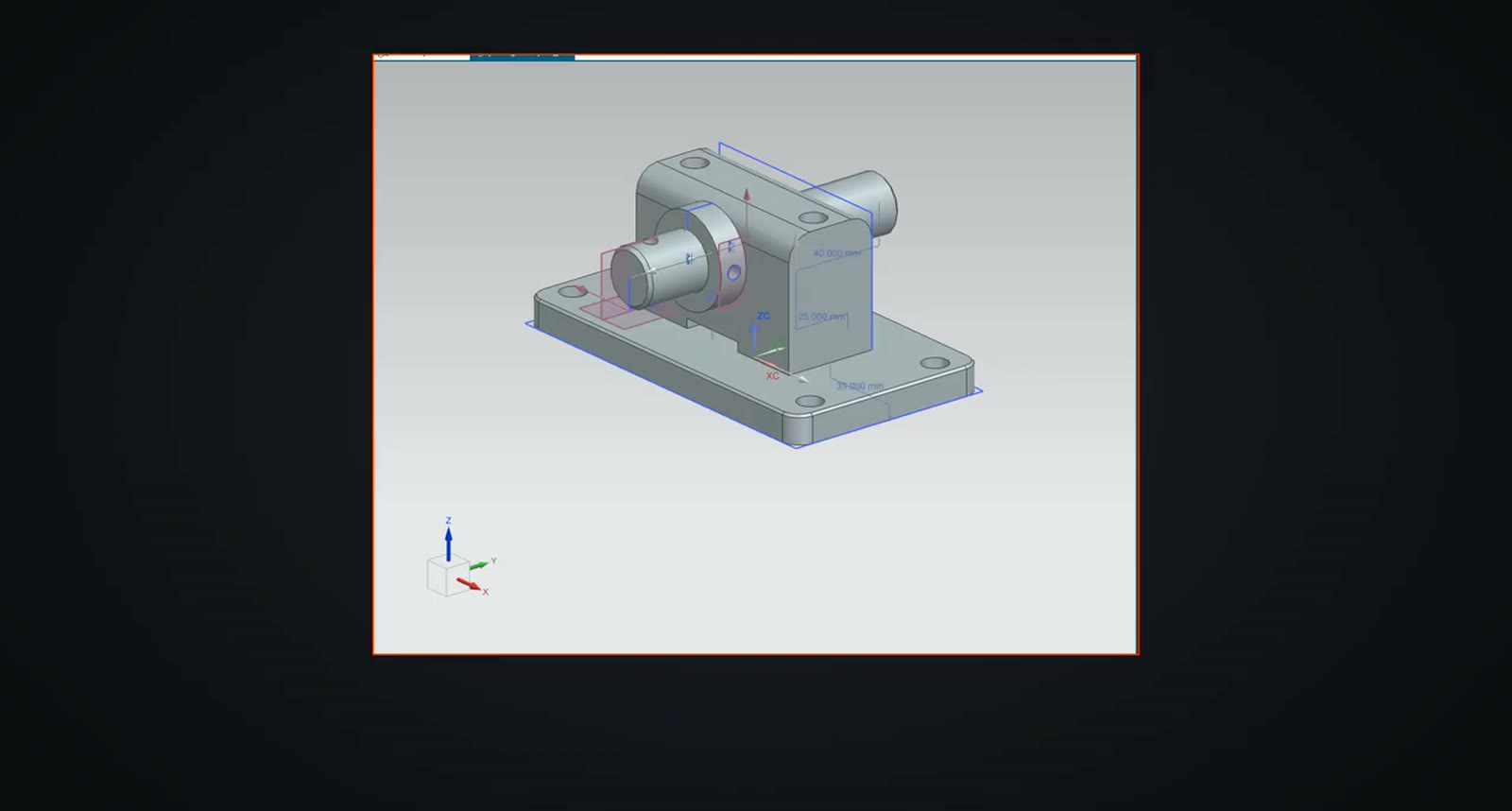
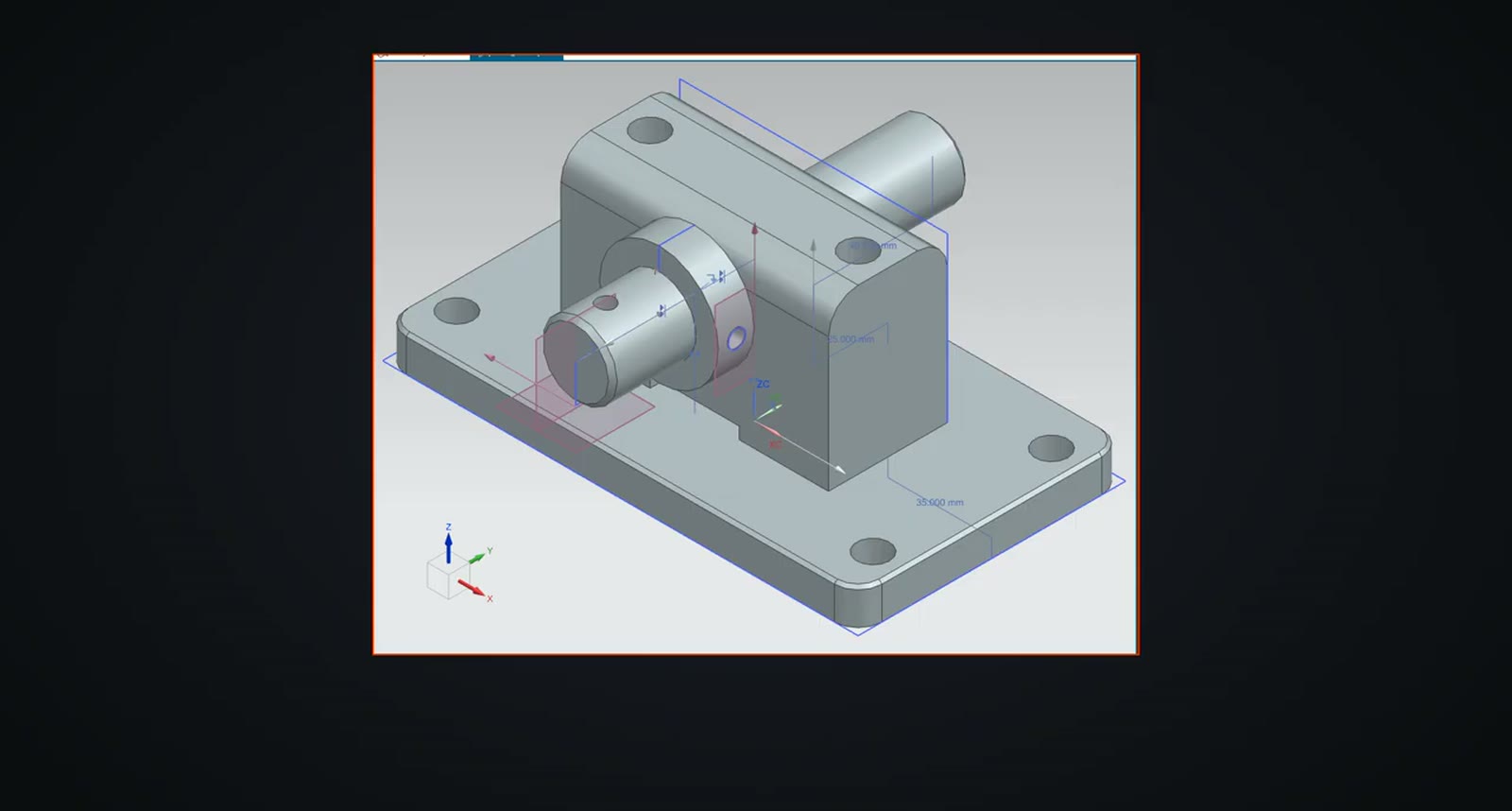
The other three parts rebuilt exactly. All four were placed as in the STEP assembly, the base plate was fixed, and the rest were auto-constrained until every part was fully constrained: seven mates, no clashes, nothing free and nothing over-constrained.
The drawing was recreated from its PDF: the same A3 sheet and scale, views, dimensions attached to model edges and the title block. The company name in the title stays PLM CAD, as on the PDF.
What the agent did with the sheet metal cabinet
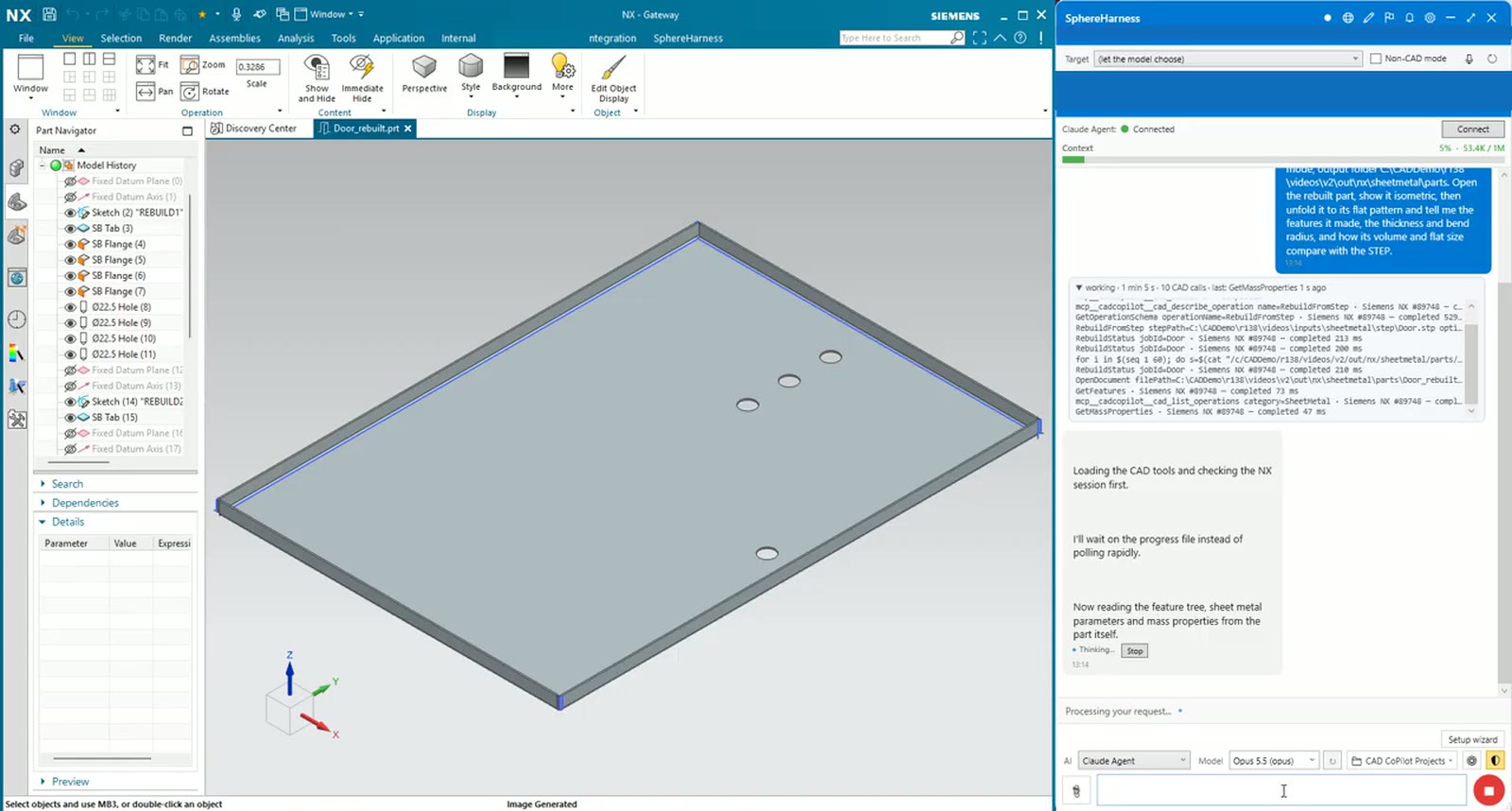
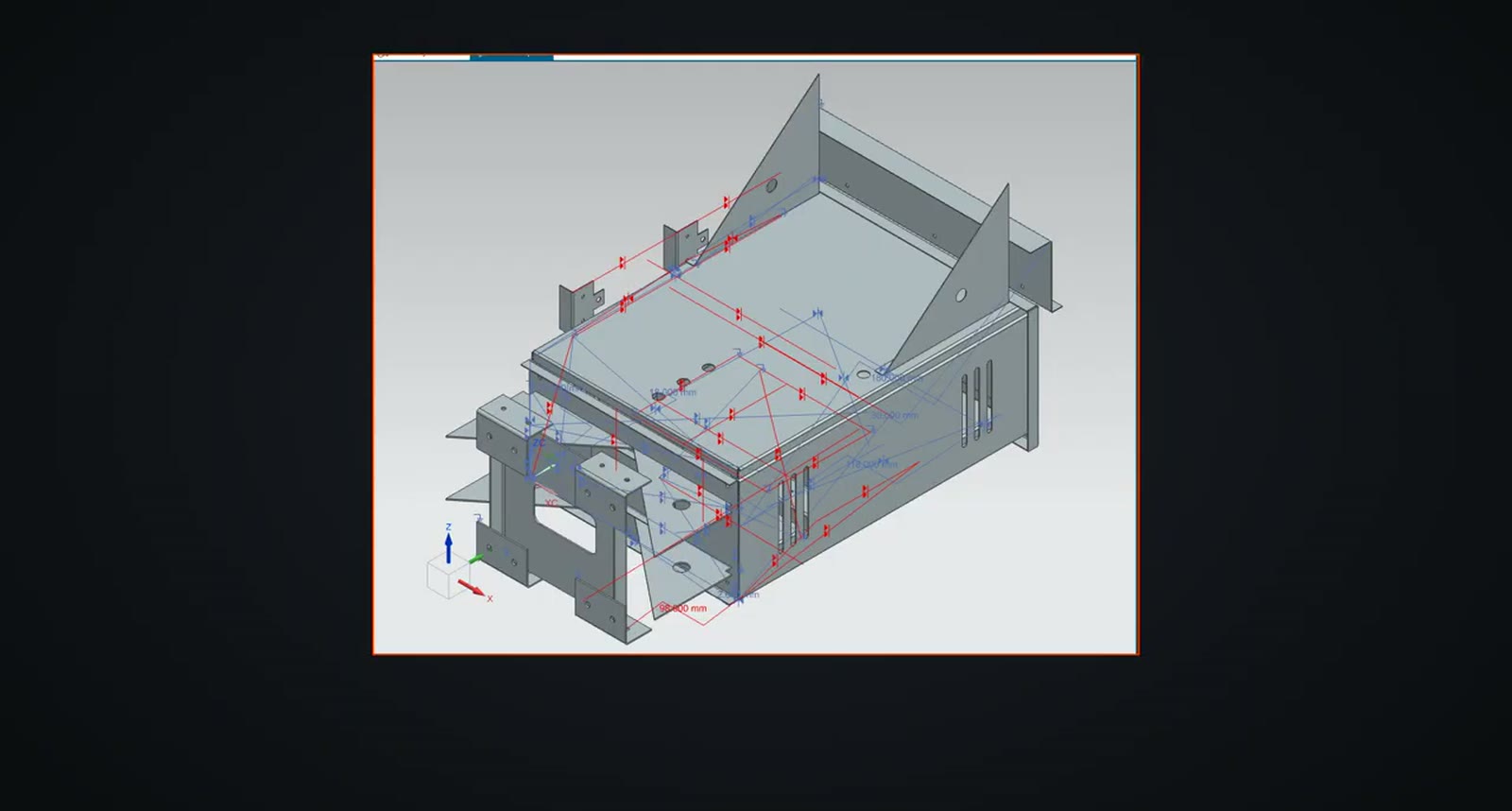
The cabinet parts arrive as plain STEP solids with no features and no flat patterns. The request ends: "...unfold it to its flat pattern and tell me the features it made, the thickness and bend radius, and how its volume and flat size compare with the STEP." The door came back as real NX sheet metal, a base tab, flanges and four holes, 2 mm thick, at exactly the source volume.
Three more parts were rebuilt the same way, each at exactly the source volume. Even the flat gusset plate became sheet metal, so it has a flat pattern for cutting.
What we measured
The cabinet went back together with the back panel fixed and the rest auto-constrained: 30 components and 69 mates, with every part reading back where the STEP has it and nothing free.
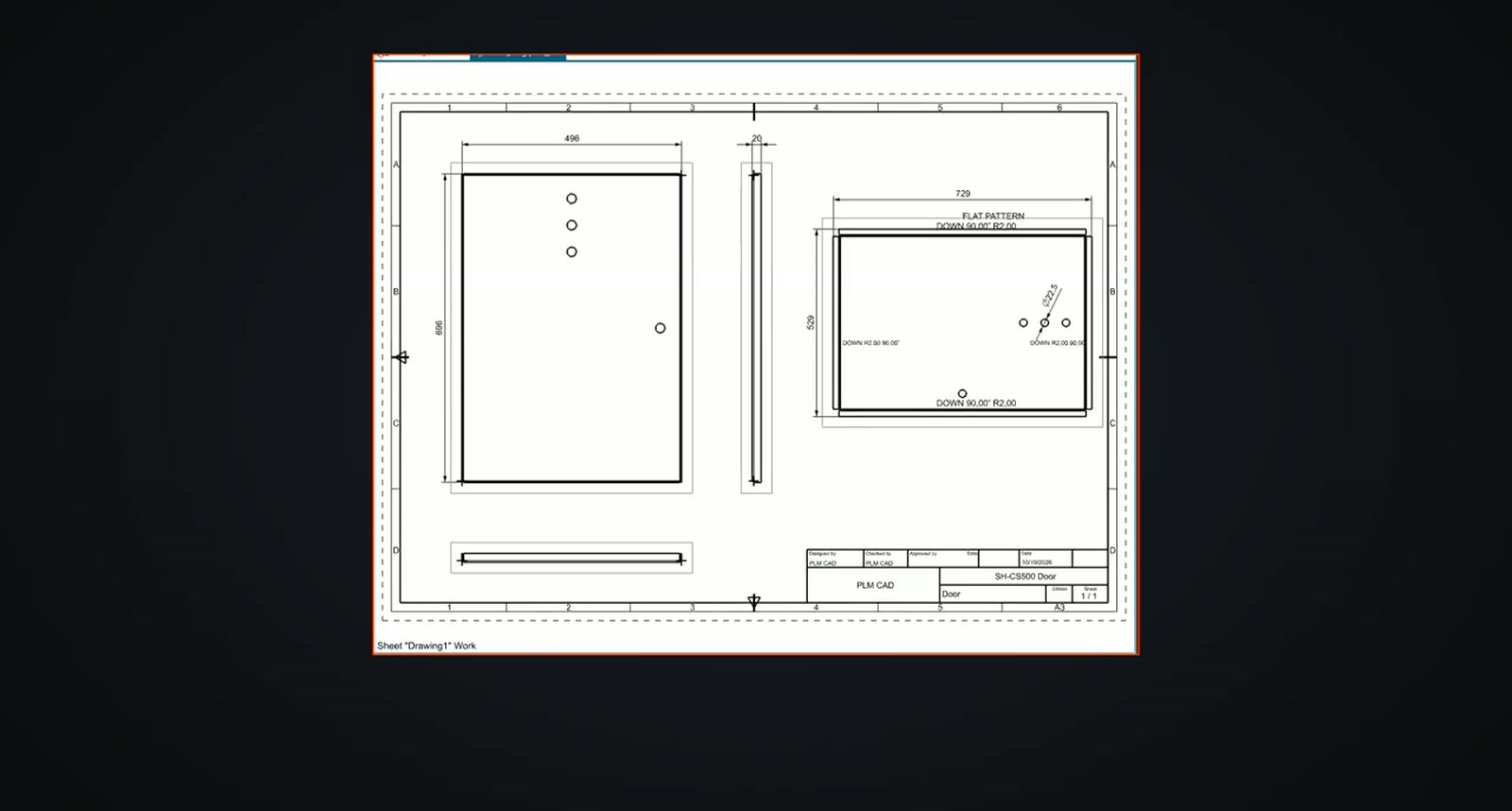
The door drawing came from its PDF with the folded views and the flat pattern, every dimension attached to the model. The video reports 4 of 4 views and 6 of 6 dimensions matching the PDF.
Try it yourself
The NX page is at /nx, and the first-run steps are in /help/getting-started.