

Siemens NX and Teamcenter: material change, BOM export, Word report
On a free AI model, SphereHarness finds an item in Teamcenter, sets aluminium 6061 on 15 parts, exports a BOM to Excel and writes a Word report from NX.

The video plays from YouTube’s privacy-enhanced player only after you click it.
On a free AI model, SphereHarness found the SH-CS500 cabinet in Teamcenter, changed the material of all 15 parts to aluminium 6061, exported a bill of materials to Excel and built a Word report, all from Siemens NX. The video was run with OpenCode and DeepSeek Flash, with no API key and no AI cost.
Teamcenter: find and open
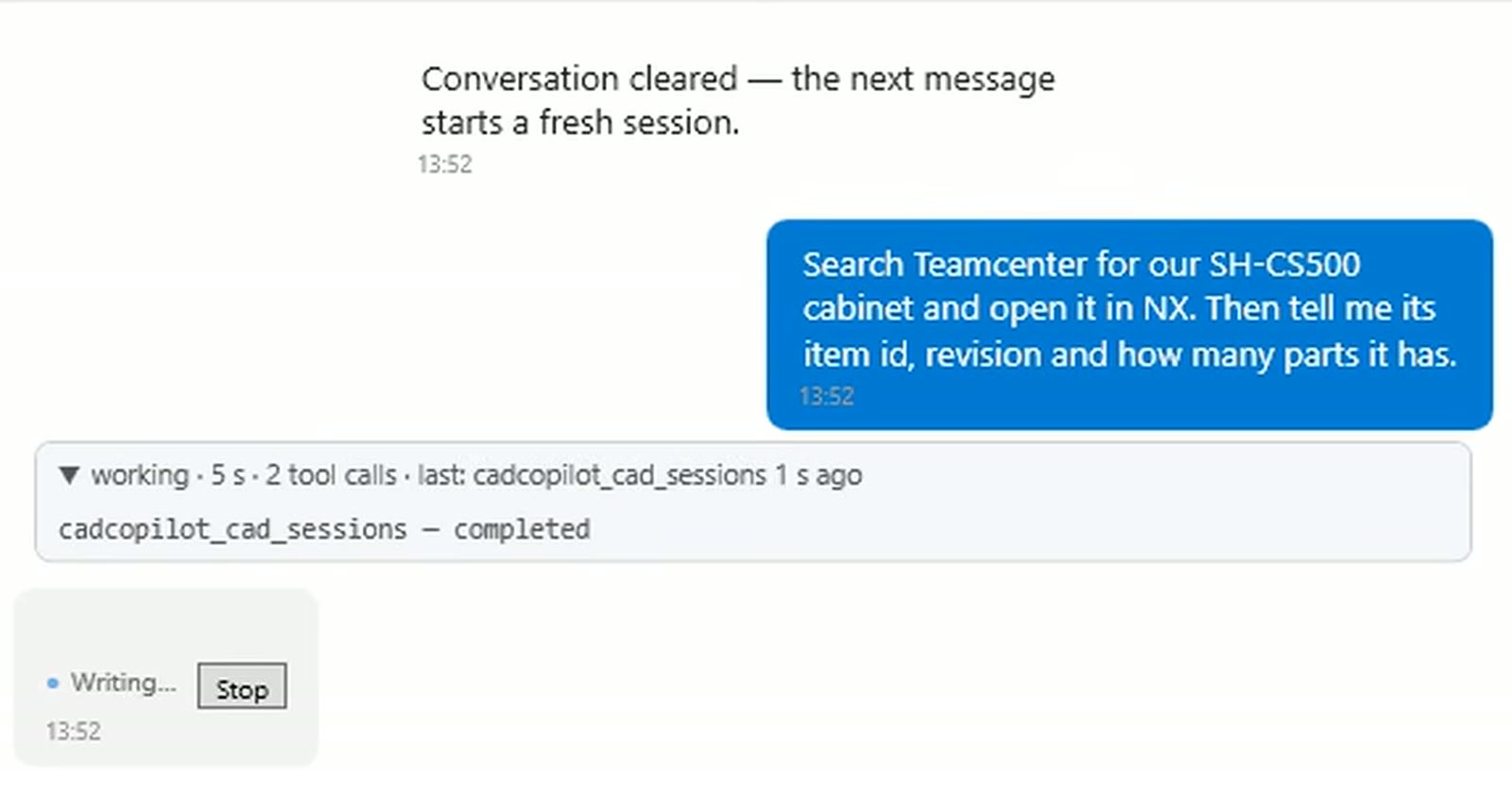
The first request reads: "Search Teamcenter for our SH-CS500 cabinet and open it in NX. Then tell me its item id, revision and how many parts it has."
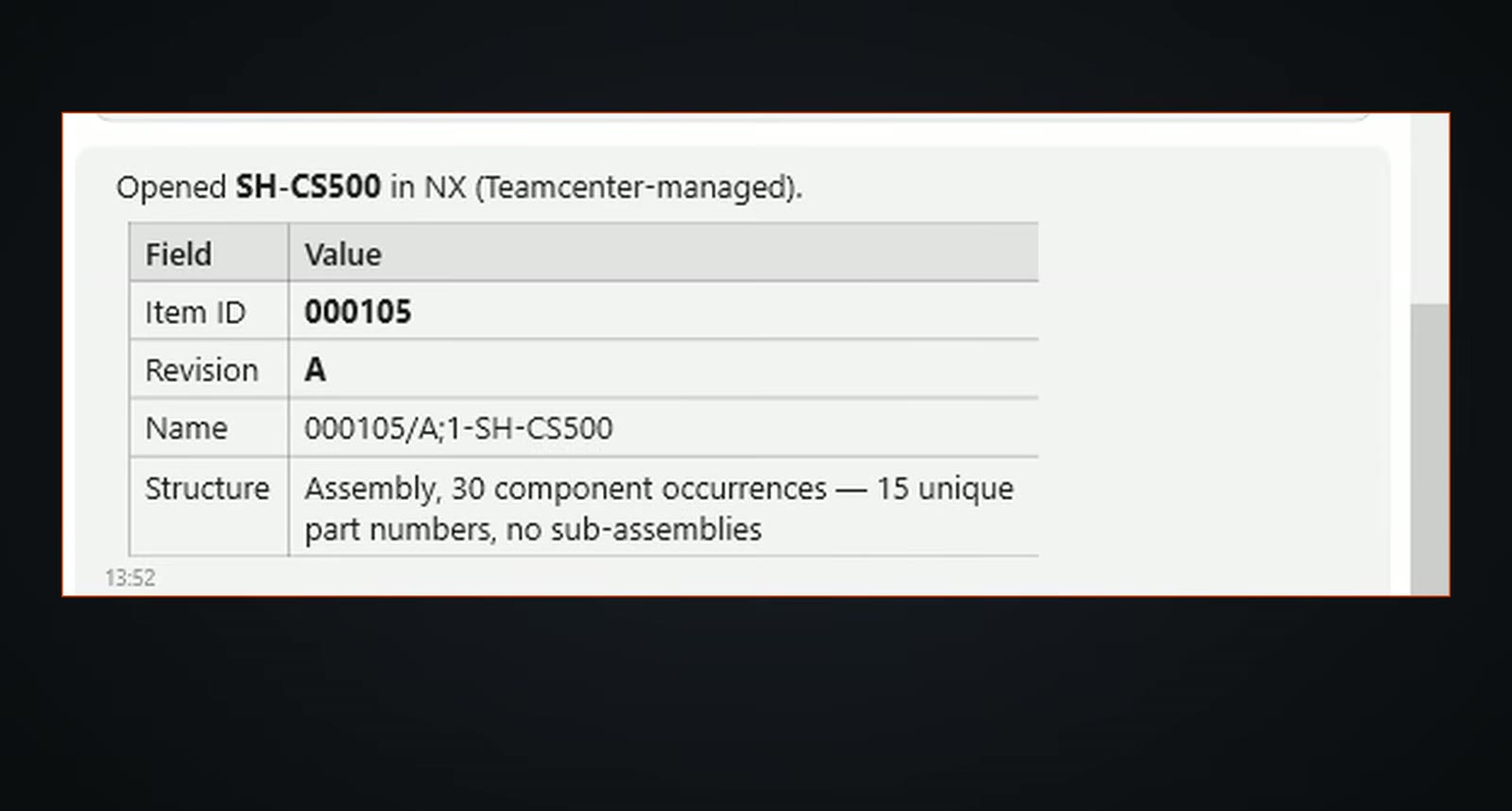
SphereHarness found item 105 at revision A by name and opened the whole assembly in NX in under a minute. It read the structure back: 30 components made from 15 different parts, with no sub-assemblies.
One change across every part
The next request: "Change the material of every part of the open SH-CS500 cabinet assembly in NX to Aluminum 6061 and save the parts back to Teamcenter. Then tell me which items you changed and their material now." The agent opened each part in turn, assigned the material and saved it.
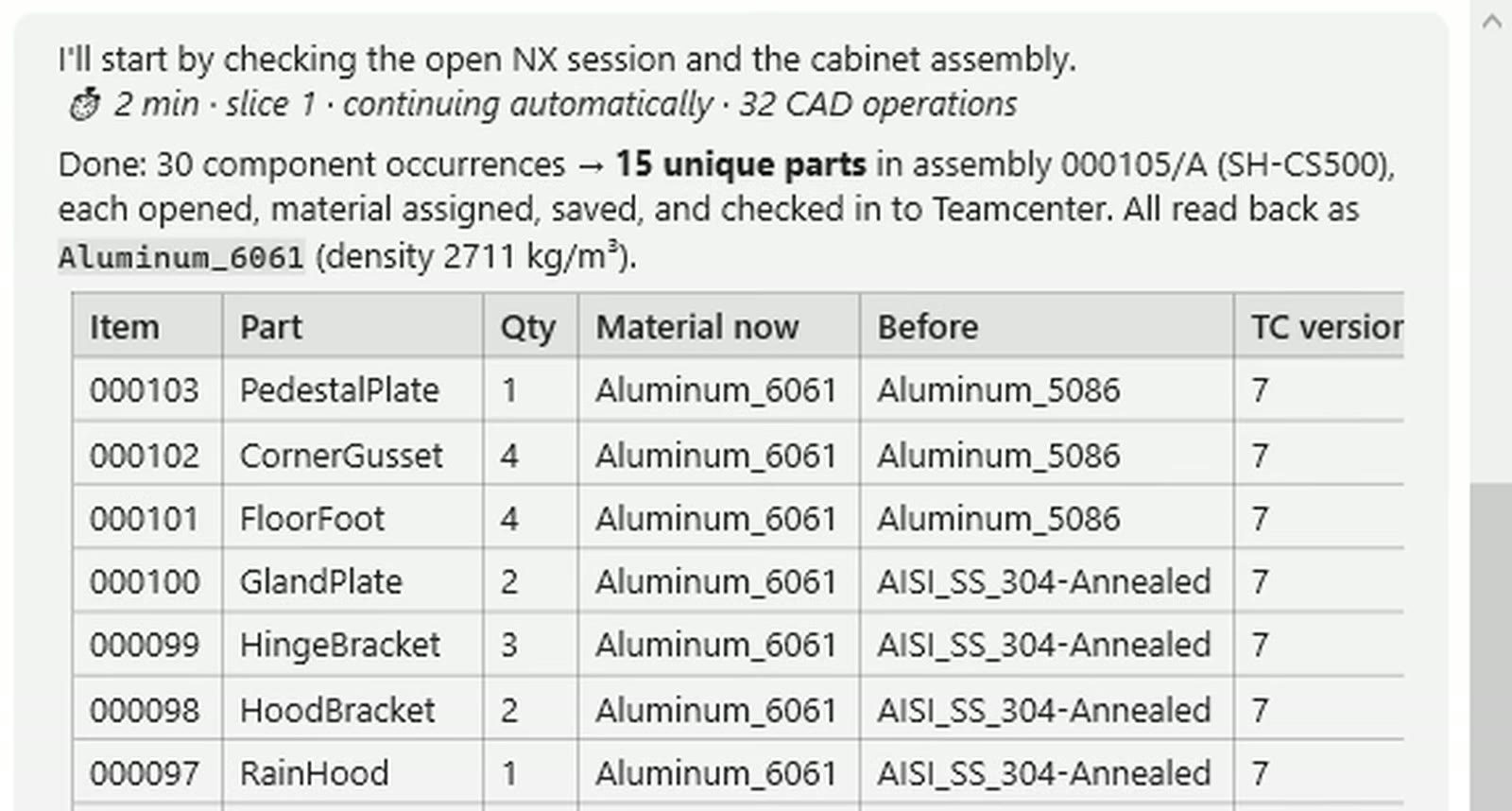
After about 2 minutes all 15 items read back as Aluminum_6061. The table also shows what each part was before: aluminium 5086, stainless steel, rolled steel, and one part (the back panel) with no material at all.
Report without changes
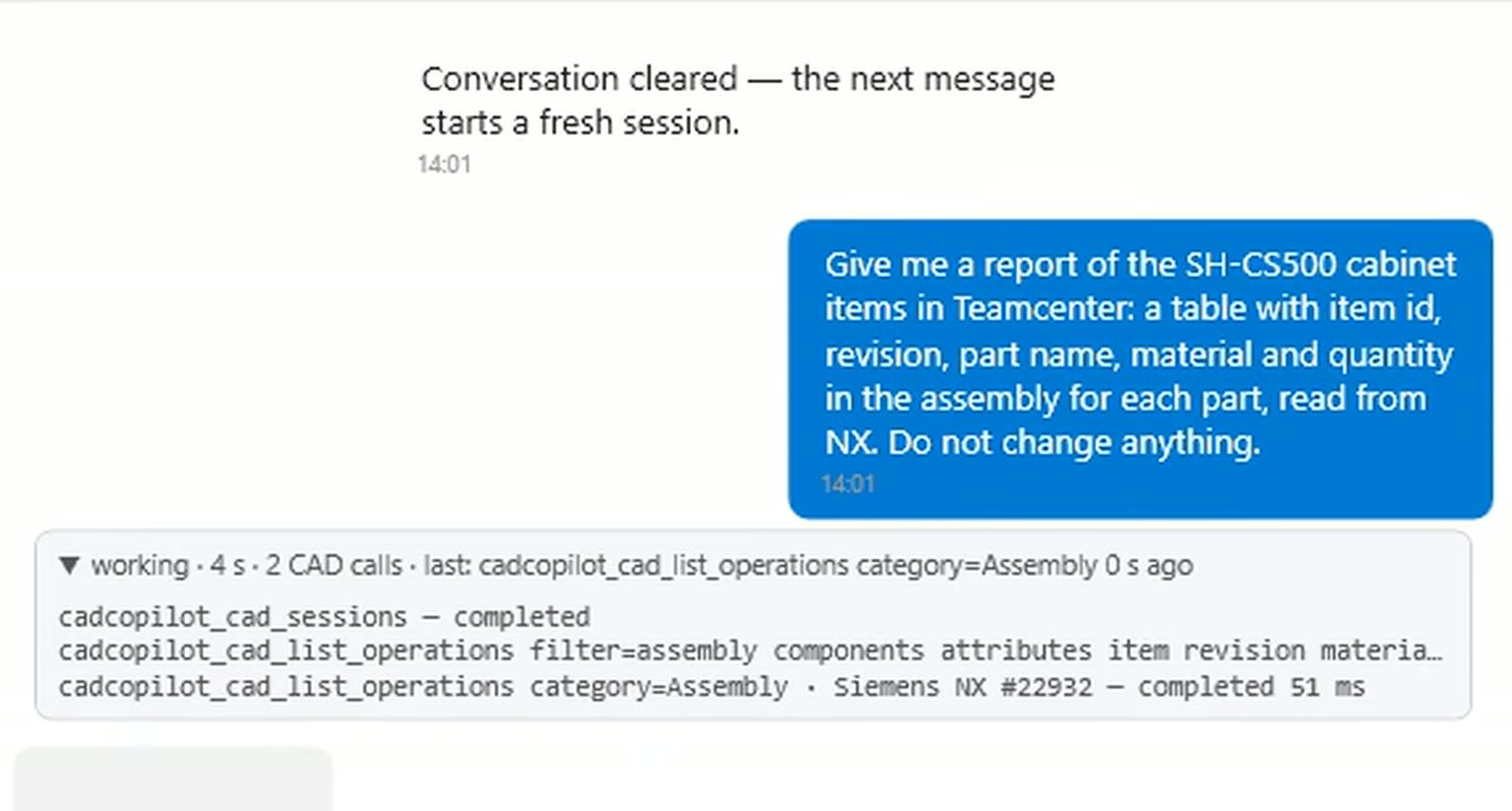
A read-only report lists every item with its ID, revision, part name, material and quantity: 15 items at revision A, 30 components in all, every one now in aluminium.
A plain folder, no Teamcenter
A second job used a folder of NX files on the PC. The request: "Change the material of every NX part in the folder C:\CADDemo\Projects\PillowBlock to Steel and save the files. Skip the assembly file. Then tell me, for each file, its material before and after."
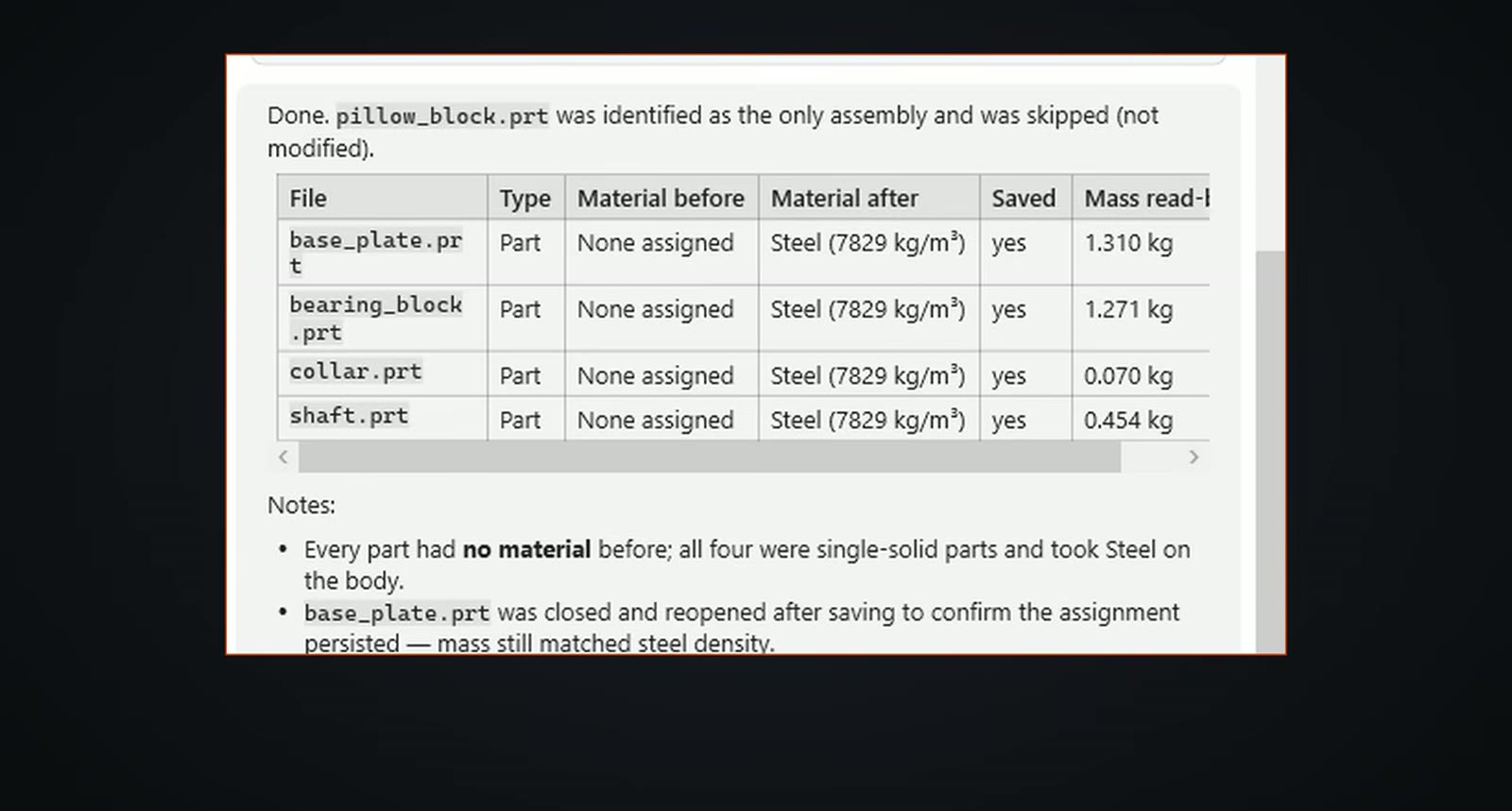
The agent skipped the assembly, opened the four parts in turn, put steel on the body and saved. Mass was read back from NX: 1.310 kg for the base plate, 1.271 kg for the bearing block, 0.454 kg for the shaft and 0.070 kg for the collar, about 3.1 kg in all.
Bill of materials and Word report
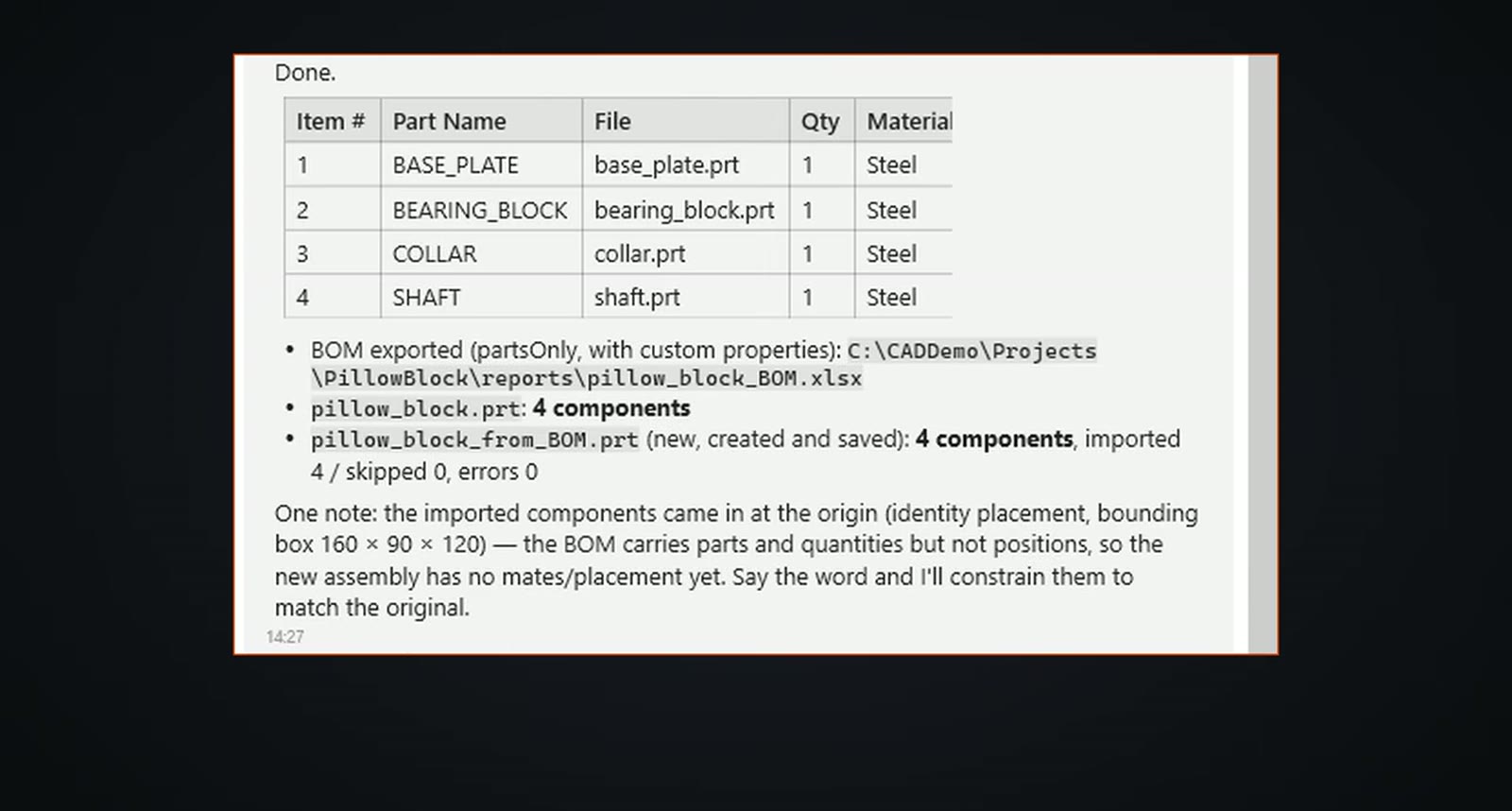
SphereHarness opened the pillow block assembly, exported its bill of materials to Excel and built a new assembly from that file: four rows, one of each part, and four components in both assemblies. The new parts sit at the origin, because the bill of materials carries no positions. A Word report followed, with a title, a parts table with file name, material, quantity and mass, and a picture of the assembly with the company name as author.
The video ends with the same kind of request typed in Microsoft Teams, which reaches SphereHarness on the PC and returns the answer in the Teams chat.
Try it yourself
The NX page is at /nx, and the first-run steps are in /help/getting-started.