

Mars rover built in Solid Edge from one saved skill
One chat request runs a saved skill: 21 parts and a 36-component Mars rover in Solid Edge, 0 overlaps in 630 pairs, measured 40.093 kg against 40.01 kg stored.

The video plays from YouTube’s privacy-enhanced player only after you click it.
A saved SphereHarness skill holds the parts, placements and checks for a six-wheel Mars rover, and one request made Solid Edge build all 21 parts and the 36-component assembly. The measured mass was 40.093 kg against 40.01 kg stored in the skill, with 0 overlaps in 630 pairs.
What the skill holds
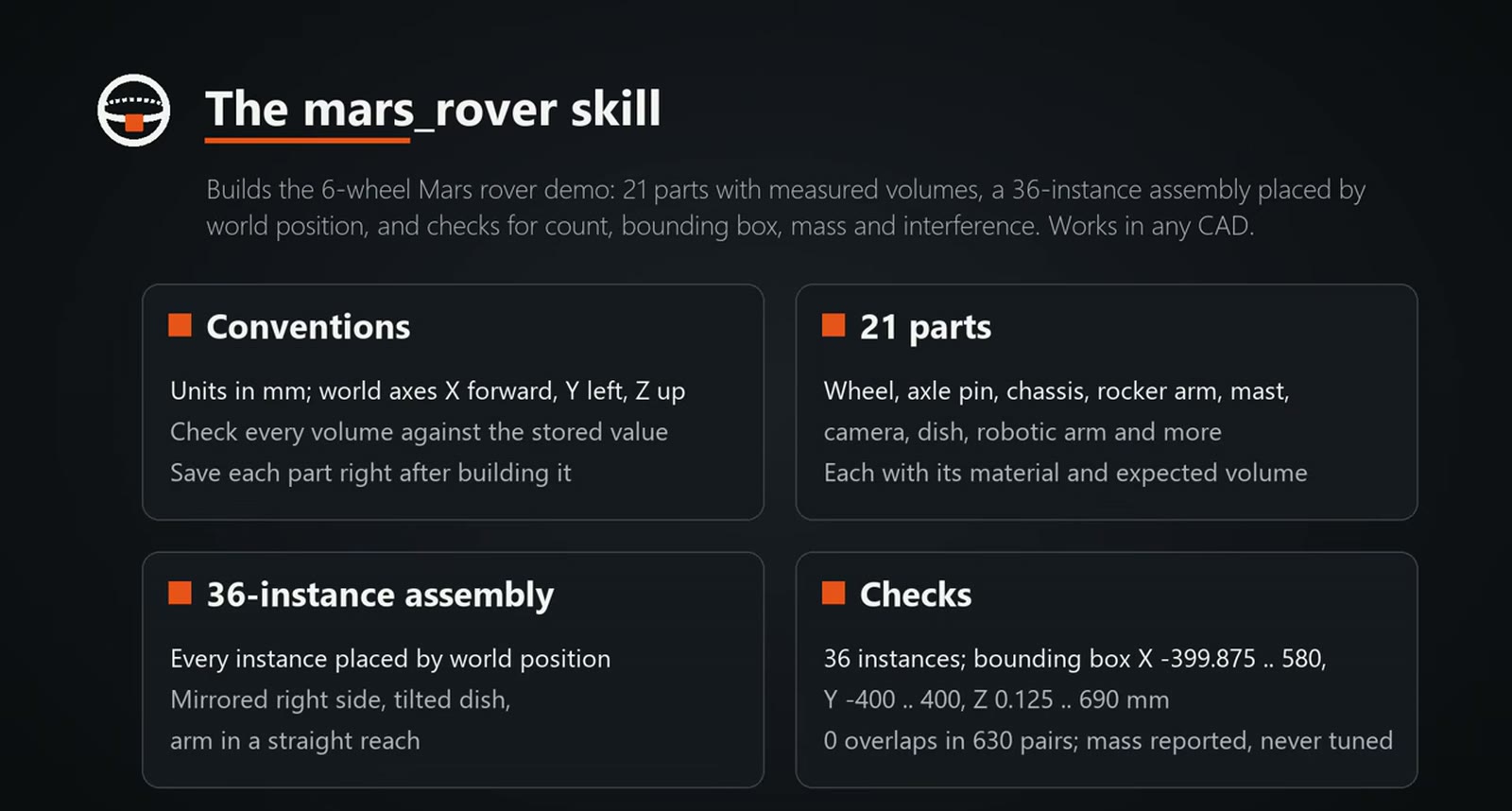
The skill was created earlier. It stores conventions, the 21 parts with their materials and expected volumes in mm3, the placements for a 36-component assembly, and the checks to run: instance count, bounding box, mass and interference.
What was asked
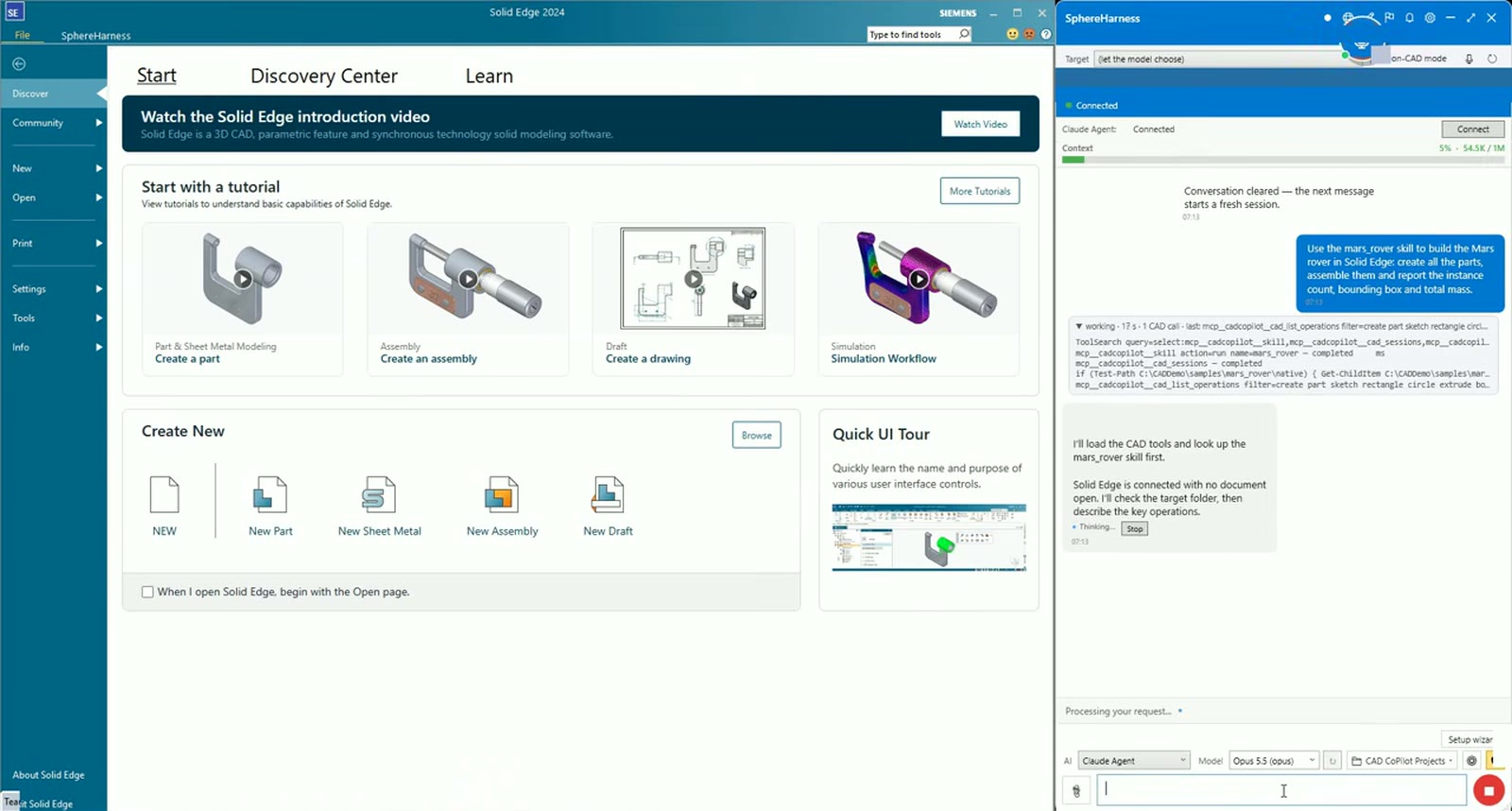
Solid Edge is open and empty with a fresh chat. The one request reads: "Use the mars_rover skill to build the Mars rover in Solid Edge: create all the parts, assemble them and report the instance count, bounding box and total mass."
What the agent did
The agent loaded the skill and built the parts, boxes first and then the round parts, measuring each against its stored volume. One part went wrong: when the gripper fingers had the right volume but the wrong shape, the agent deleted the feature and rebuilt it.
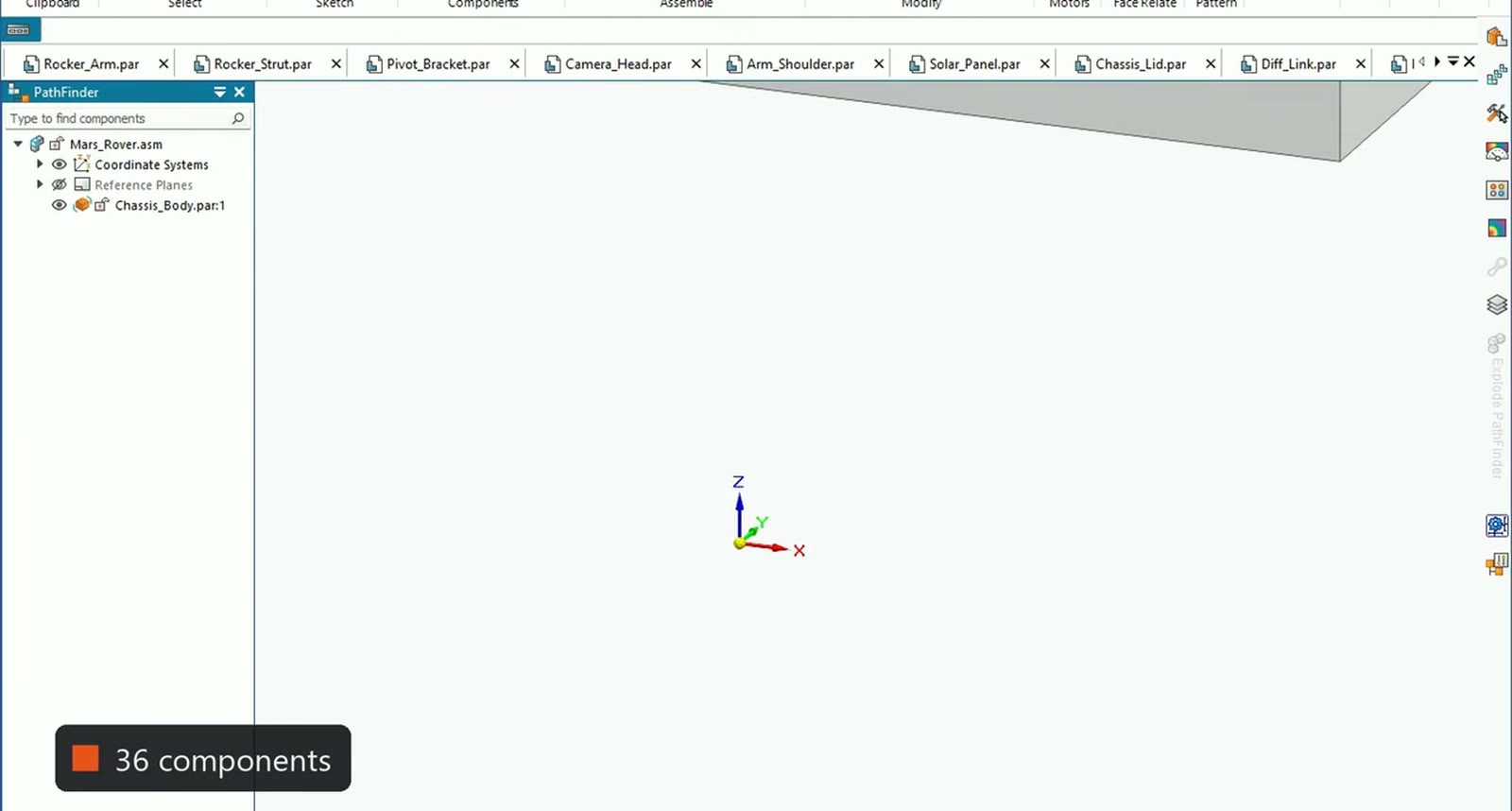
The assembly used the placements stored in the skill: 36 components, the bounding box the skill expects and 0 overlaps in 630 pairs. The first mass reads 40.98 kg, because the wheels were still at the default density of 1 g/cm3.
What did not work, and what we fixed
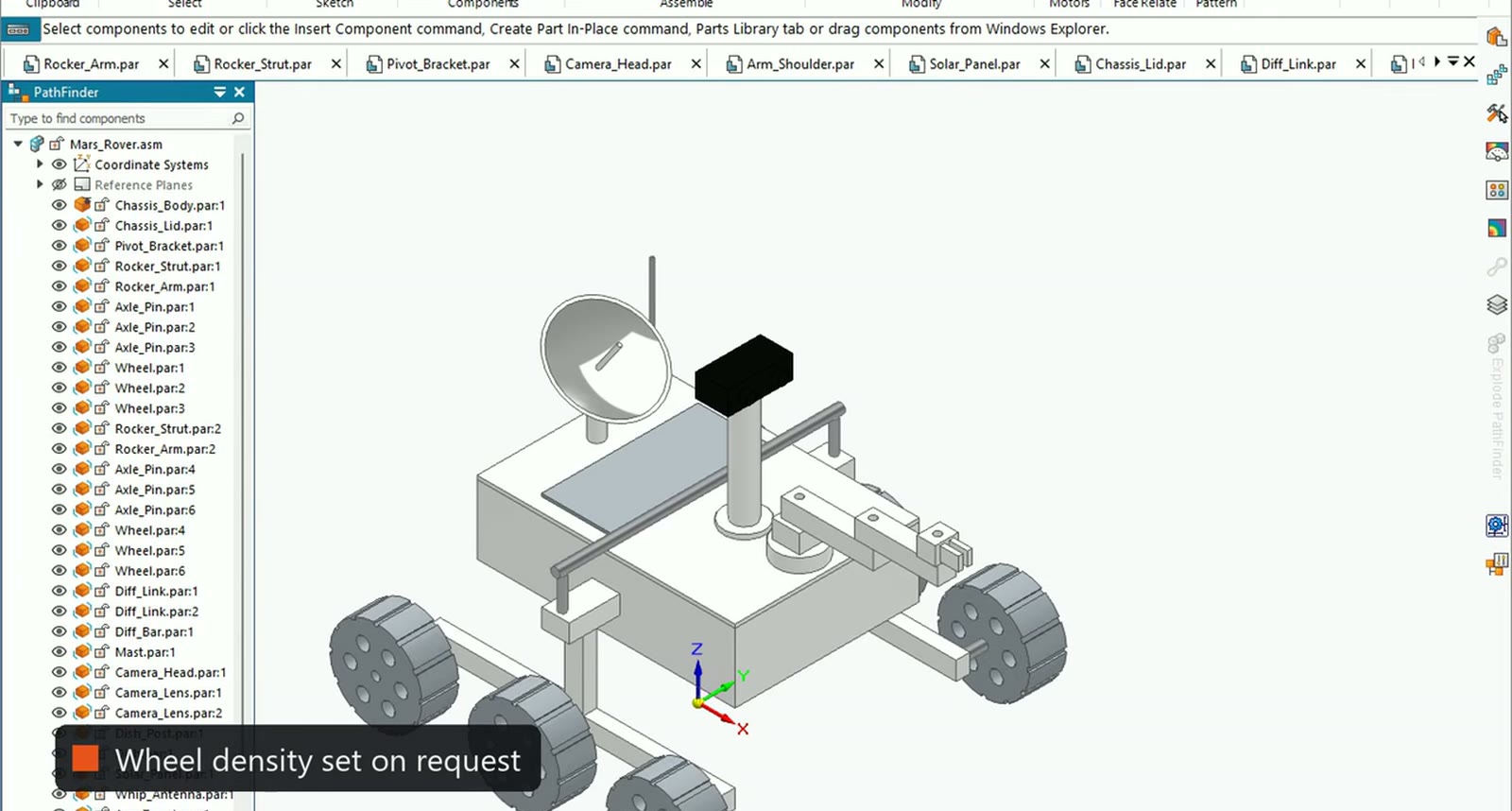
The person gave the go-ahead to set the wheel density. Solid Edge has no material that matches, and the agent's script attempts failed, so the agent set it in the Solid Edge material table itself, saved the wheel and confirmed it with a typed mass read.
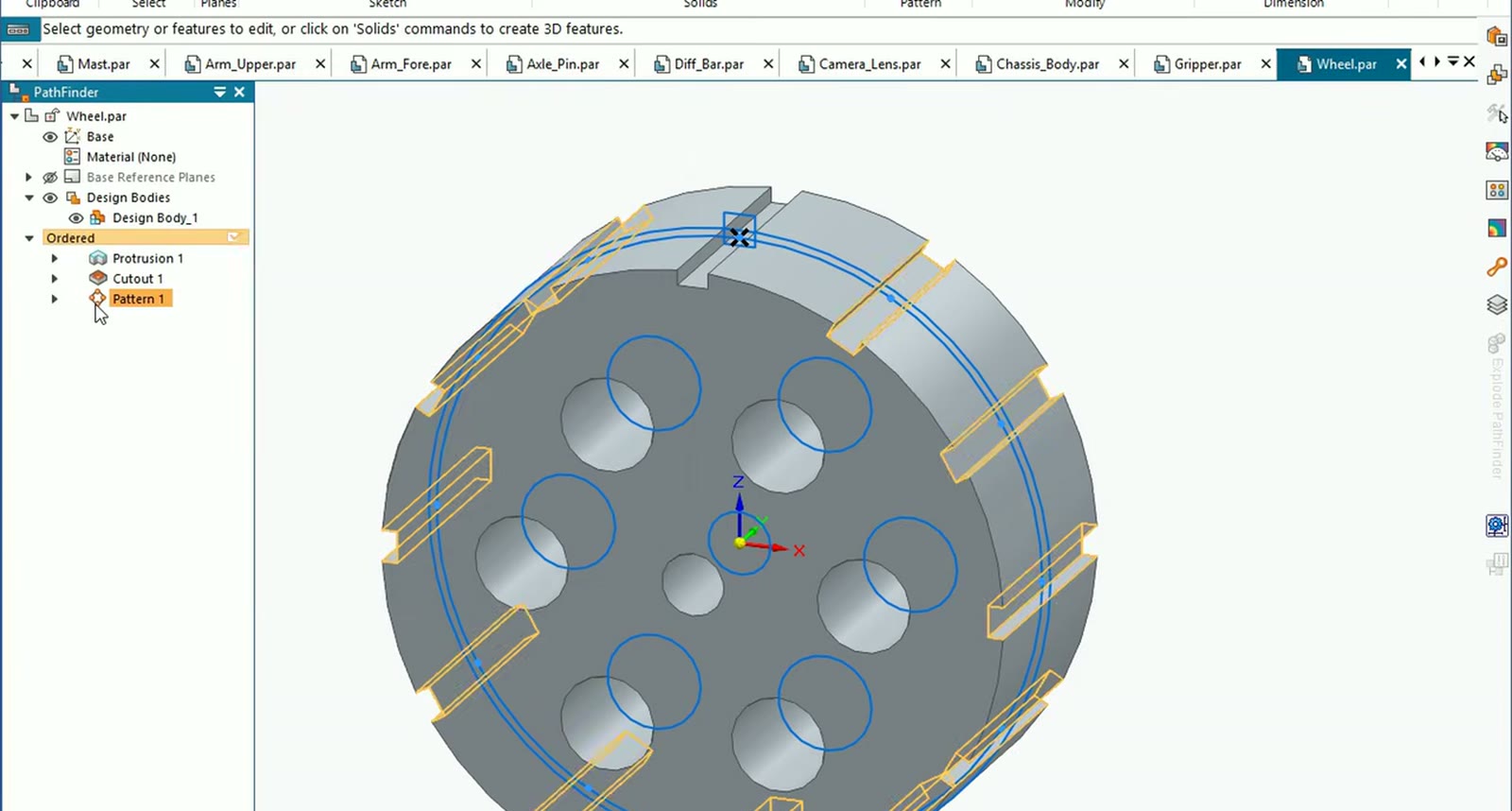
The wheel now reads 930 kg/m3 and weighs 1.954 kg, the solar panel stays at 1000 kg/m3 and 0.306 kg, and the rover total moved from 40.98 kg to 40.09 kg.
What we measured
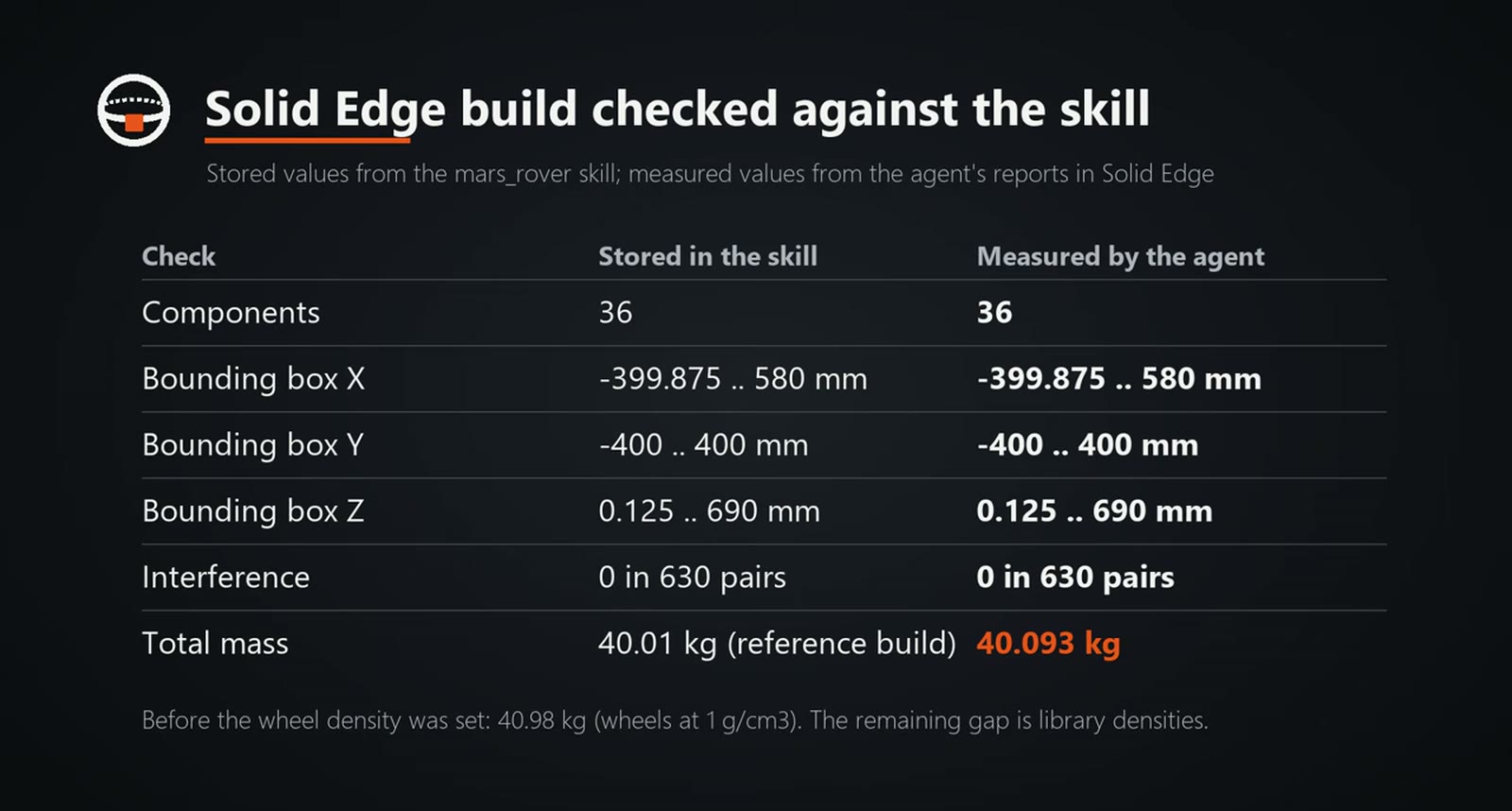
Against the skill: 36 components on both sides, bounding box X -399.875 to 580 mm, Y -400 to 400 mm, Z 0.125 to 690 mm identical, 0 overlaps in 630 pairs, and 40.093 kg measured against 40.01 kg stored. The video attributes the remaining gap to library densities. The run was done by Claude (Opus) through the SphereHarness desktop agent.
Try it yourself
The Solid Edge page is at /solid-edge, and the first-run steps are in /help/getting-started.