

Parametric bicycle in four sizes in Solid Edge, with a C# macro
A saved skill builds a bicycle in Solid Edge 2024, a macro the agent wrote ties it to three variables, and four sizes (1,366 to 1,847 mm) get drawings.

The video plays from YouTube’s privacy-enhanced player only after you click it.
A saved skill rebuilt a bicycle in Solid Edge 2024, a C# macro the agent wrote tied its dimensions to three variables, and a size family of four bikes with a drawing each followed. Measured overall length runs from 1,366 mm for the kids size to 1,847 mm for the XL, and the files were uploaded to a new OneDrive folder.
What was asked
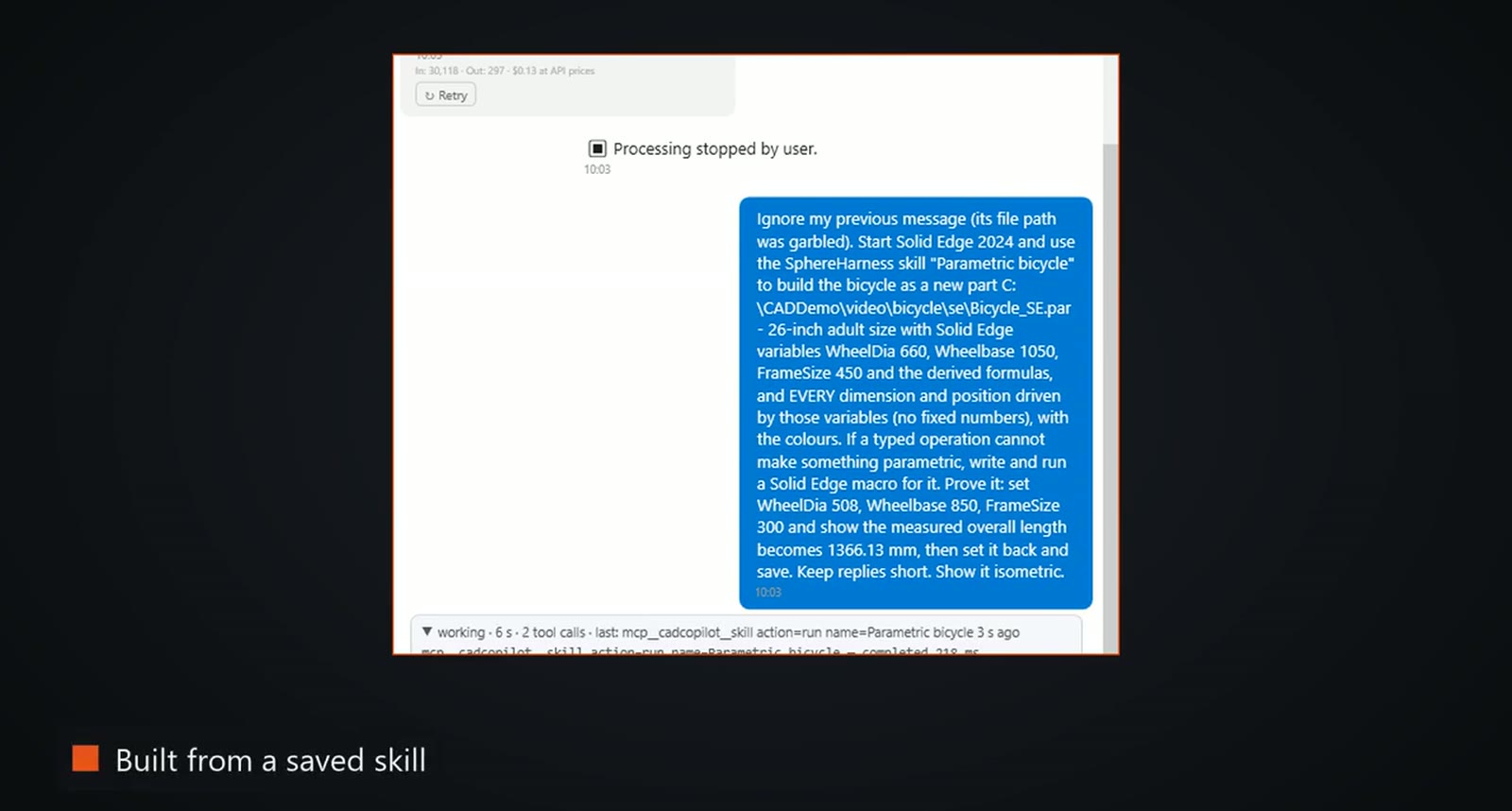
The request reads: "Start Solid Edge 2024 and use the SphereHarness skill "Parametric bicycle" to build the bicycle as a new part ... - 26-inch adult size with Solid Edge variables WheelDia 660, Wheelbase 1050, FrameSize 450 and the derived formulas, and EVERY dimension and position driven by those variables (no fixed numbers), with the colours. If a typed operation cannot make something parametric, write and run a Solid Edge macro for it. Prove it: set WheelDia 508, Wheelbase 850, FrameSize 300 and show the measured overall length becomes 1366.13 mm, then set it back and save."
What the agent did
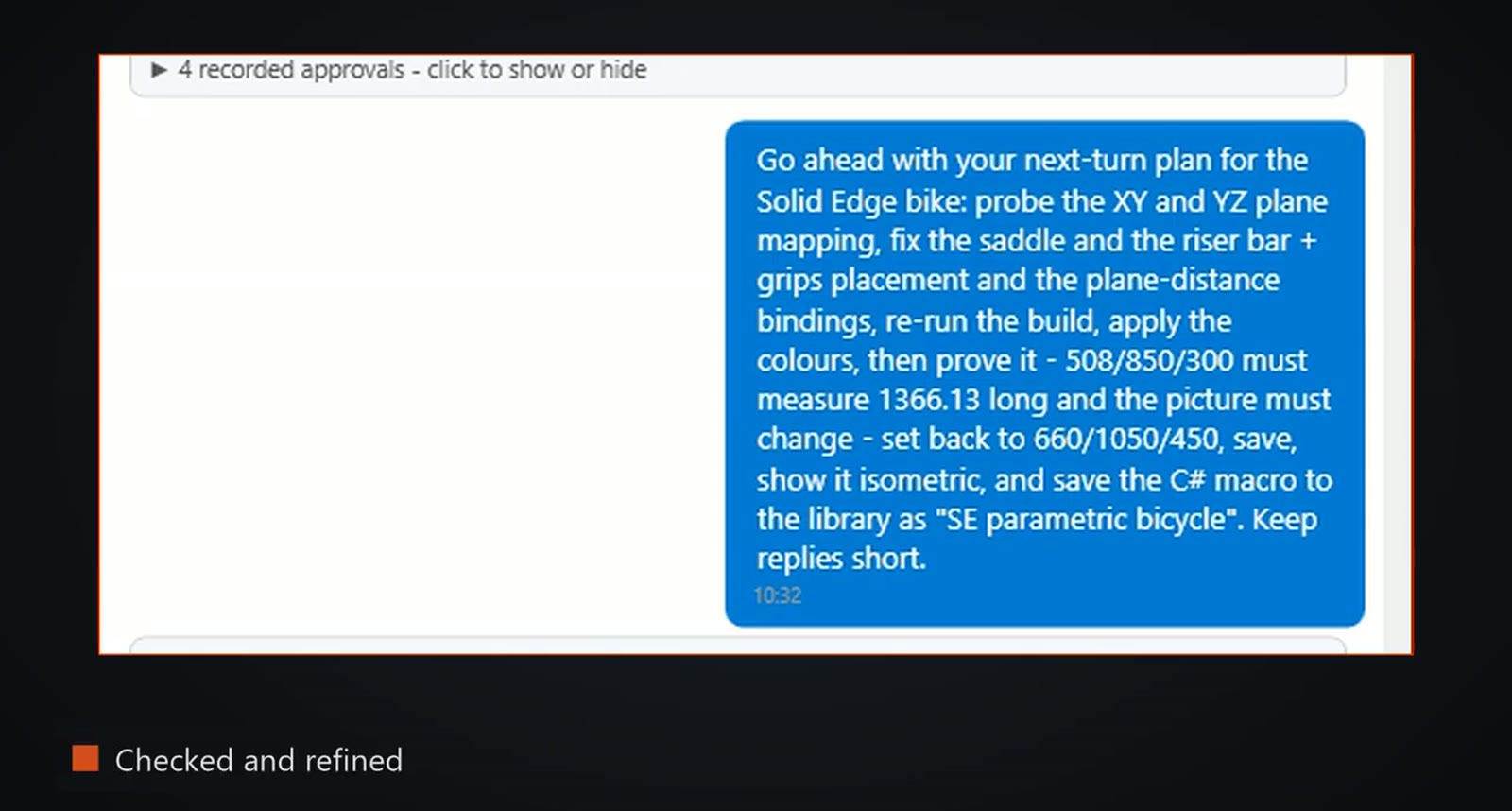
The first pass built the bike from the skill with the variables and derived formulas live. It also found a gap: no typed operation ties sketch positions to a variable formula. So the agent wrote a C# macro against the Solid Edge API and ran it in the CAD session. The macro reads the variables and places the frame, stays, fork, saddle, bars and wheels from them with no fixed numbers. The next turn checked the result against the request, found parts still out of place, and moved the saddle, the riser bar and other parts in a second pass.
What we measured
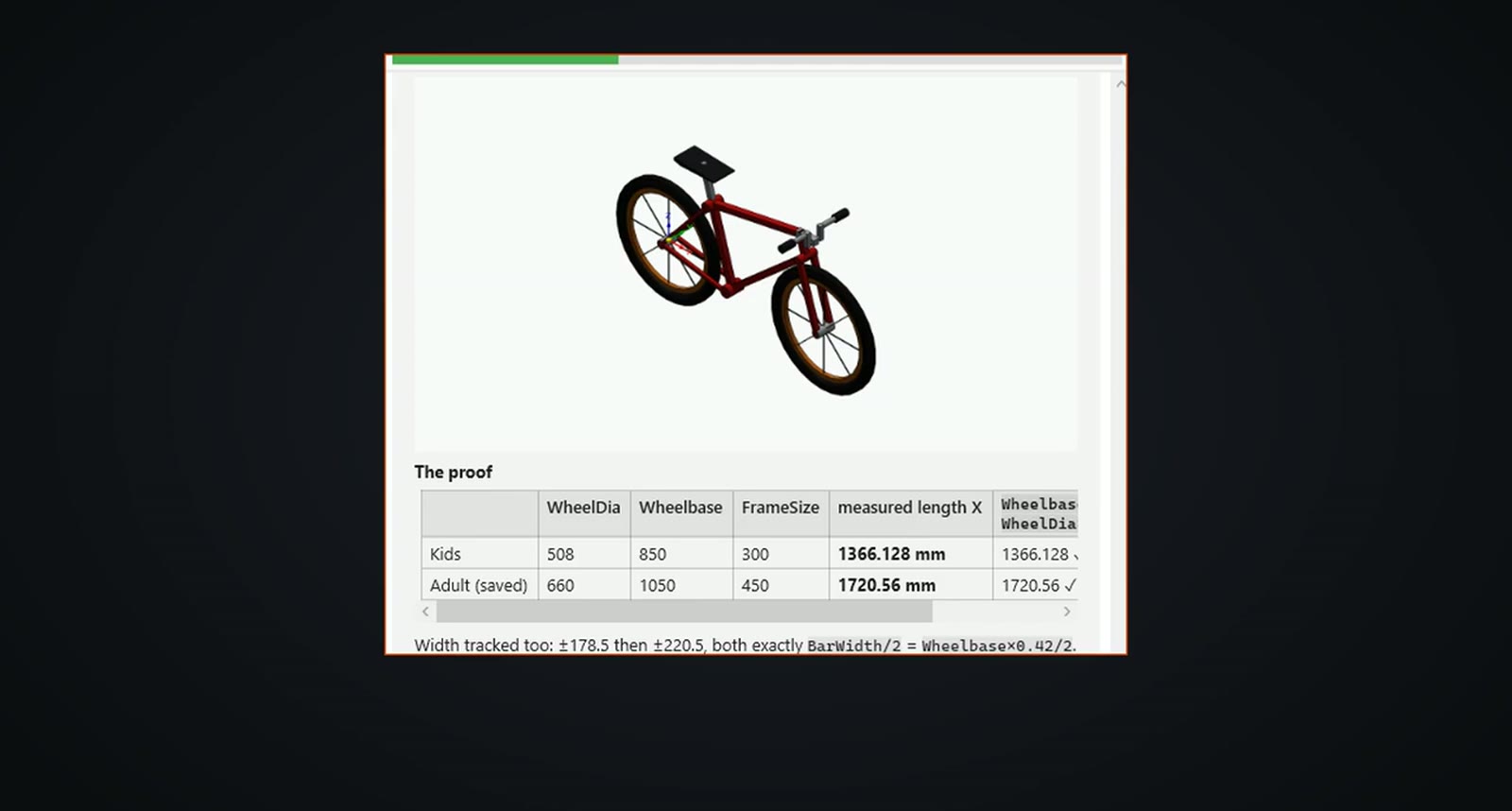
With the kids values the overall length came out at 1,366.13 mm, and set back to the adult size it returned to 1,720.56 mm. The overall length equals the wheelbase plus 1.016 times the wheel diameter, so the result can be checked by hand. The colours are applied inside the macro, and the macro was saved to the SphereHarness library.
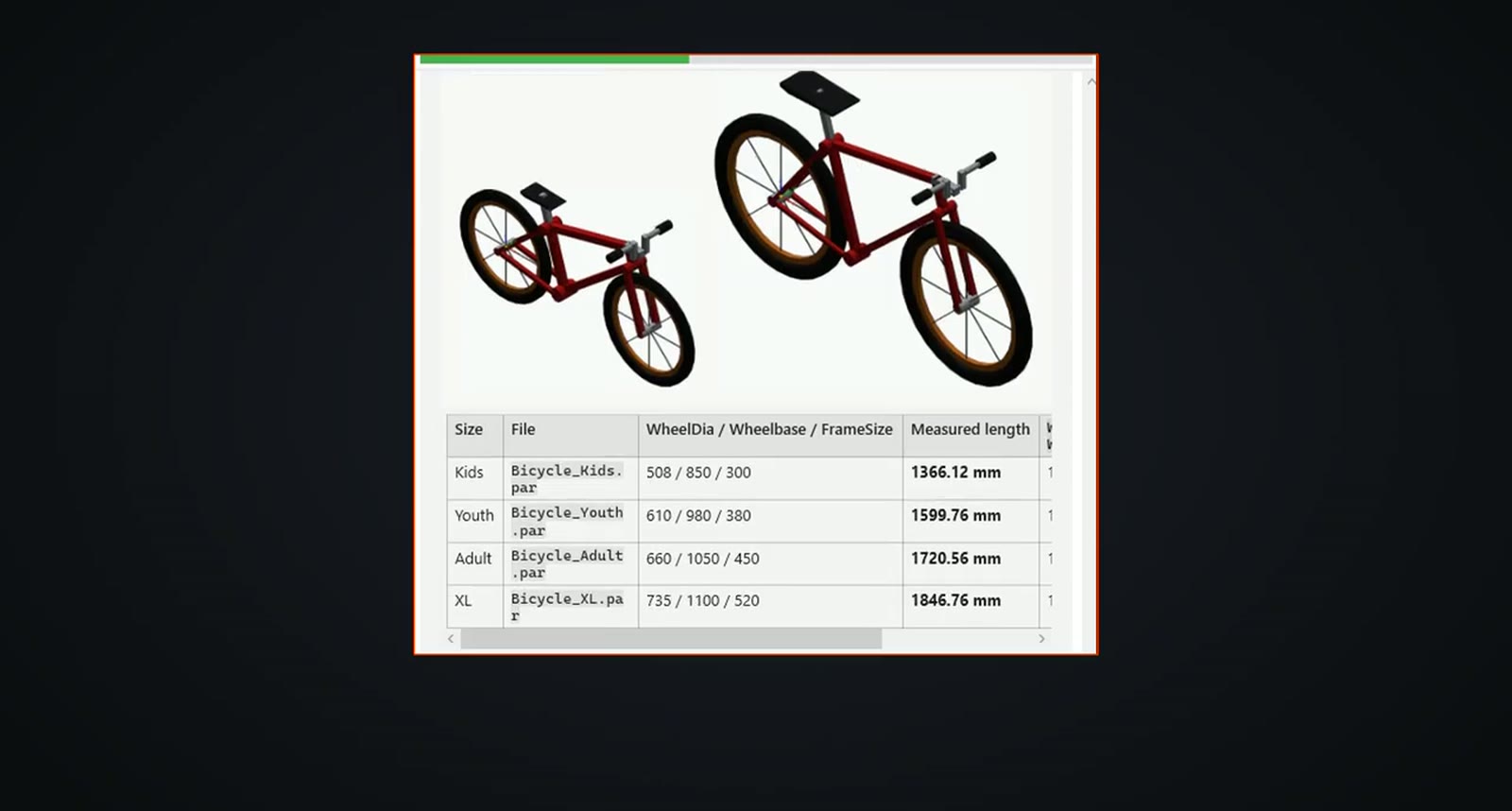
One master then became a size family. A variation template captured only the three drivers, and four rows (kids, youth, adult and XL) produced one part file each: 1,366.12 mm, 1,599.76 mm, 1,720.56 mm and 1,846.76 mm.
Drawings, and what is not finished
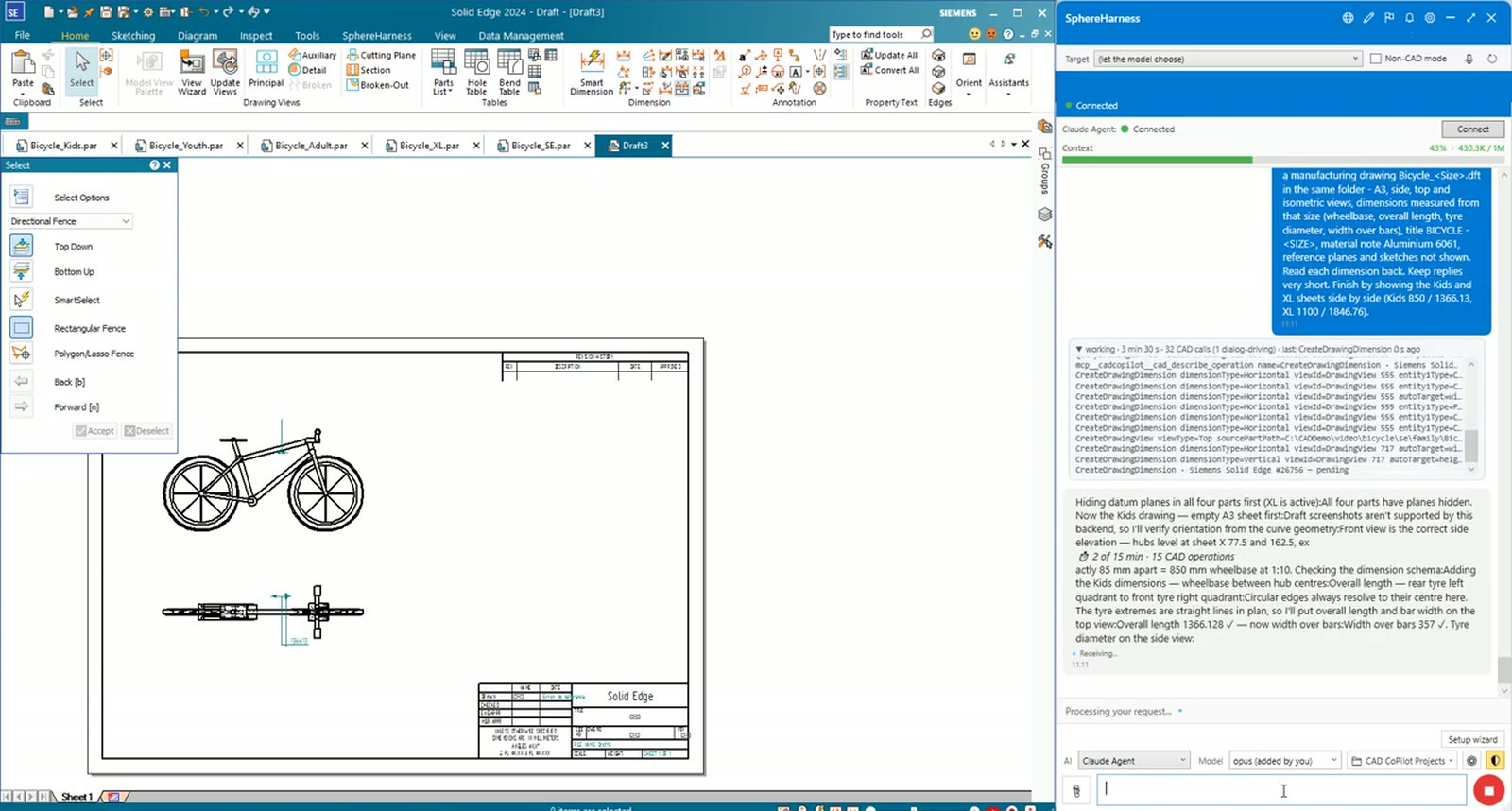
Each size got its own drawing. The kids sheet shows a wheelbase of 850 and a length of 1,366.13. The agent also reports that one dimension's placement still needs tidying, so the sheets are not yet print ready. Each sheet is also exported as a PDF.
Macros on the fly, and OneDrive
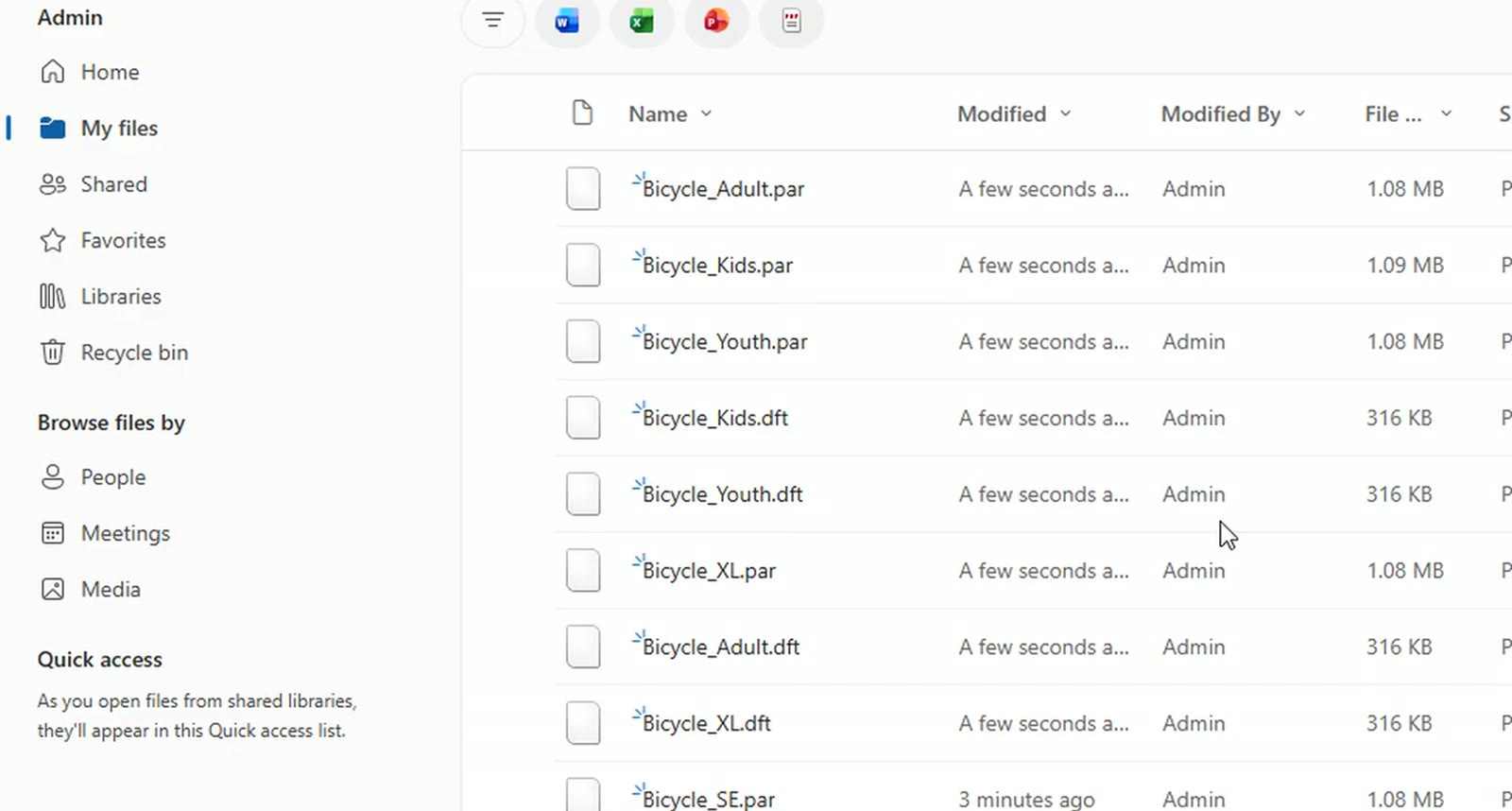
Where there is no ready-made command, SphereHarness writes a macro on the fly, and it can run macros you already have in your library; the library in the video holds 24 macros after this run. In the last step one request uploaded the Solid Edge files to a new OneDrive folder, picking each file itself and waiting until every upload finished.
Try it yourself
The Solid Edge page is at /solid-edge, and the first-run steps are in /help/getting-started.