

Nesting a 300-part sheet metal order in Solid Edge: 14 sheets to 11
A 15-part cabinet times 10 stations nested in Solid Edge: 14 sheets down to 11, a DXF per sheet layout, steel at 88.1 percent, files saved to OneDrive.

The video plays from YouTube’s privacy-enhanced player only after you click it.
A 15-part cabinet multiplied for a 10-station order was nested in Siemens Solid Edge: 300 parts in three materials fit on 11 sheets instead of 14, with steel reaching 88.1 % sheet use. Each sheet layout was written as its own DXF cut file and the design was stored in OneDrive.
What was asked
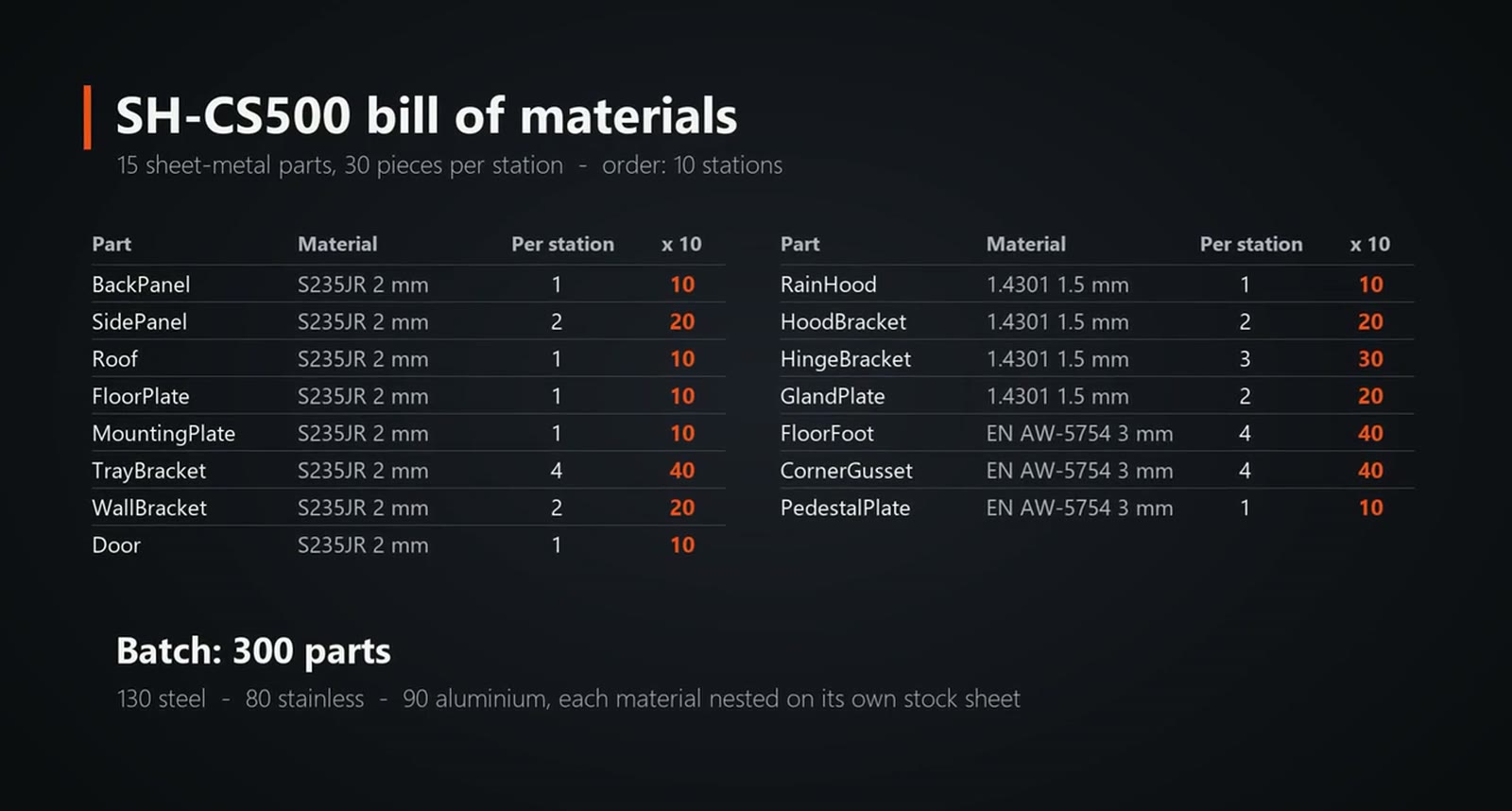
The SH-CS500 conveyor control station is a steel cabinet with a door, a stainless rain hood and an aluminium floor kit. SphereHarness modelled every part in Solid Edge and assembled the station. It has 15 different sheet metal parts, 30 pieces per station, and the customer orders 10 stations, so the shop has to cut 300 parts: 130 steel, 80 stainless and 90 aluminium.
What the agent did
Each part starts as a base flange, then gets its flat pattern. SphereHarness exported all 15 flats as DXF files with the bend lines on a layer of their own, using sizes measured from the flat patterns Solid Edge wrote.
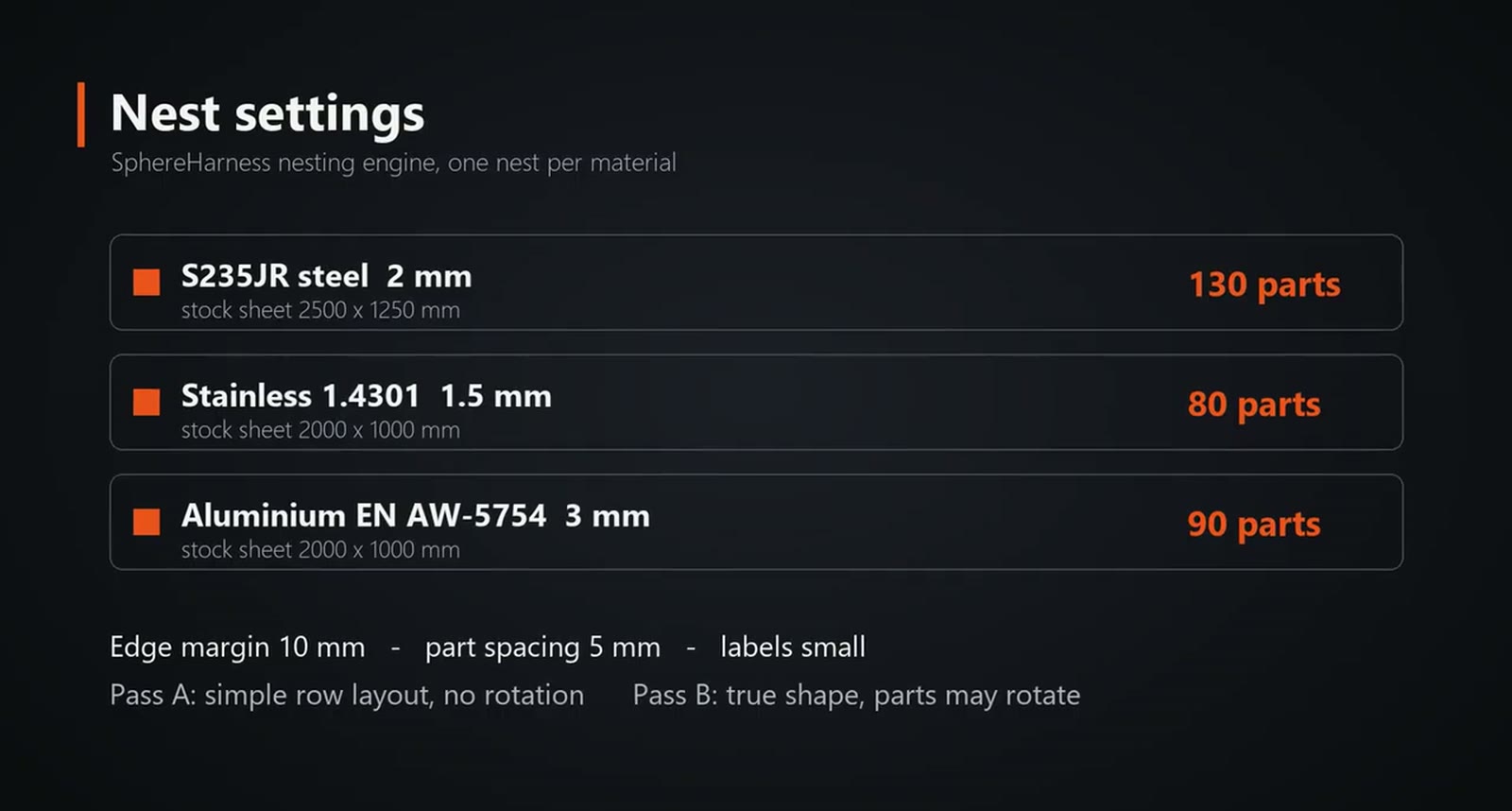
Each material is nested on its own stock sheet with a 10 mm edge margin and 5 mm between parts. Two passes ran: a simple row layout without rotation, then an optimised true-shape nest where parts may rotate.
What we measured
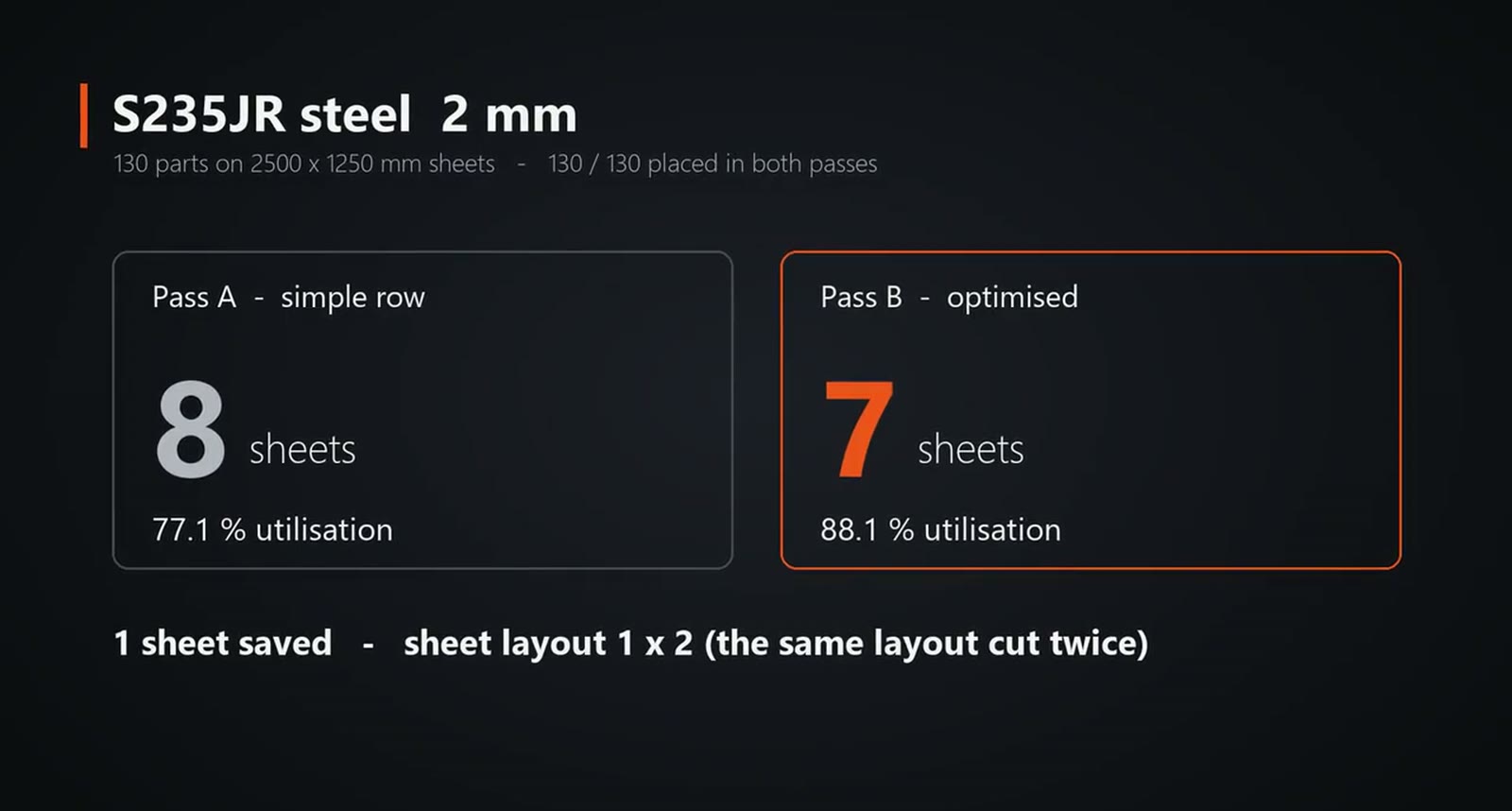
Steel, 130 parts: the simple row layout needs 8 sheets at 77.1 %, the optimised nest 7 sheets at 88.1 %, and its first layout is cut twice. In that layout four back panels stand on end side by side, with mounting plates, the roof, a side panel and four tray brackets filling the rest.
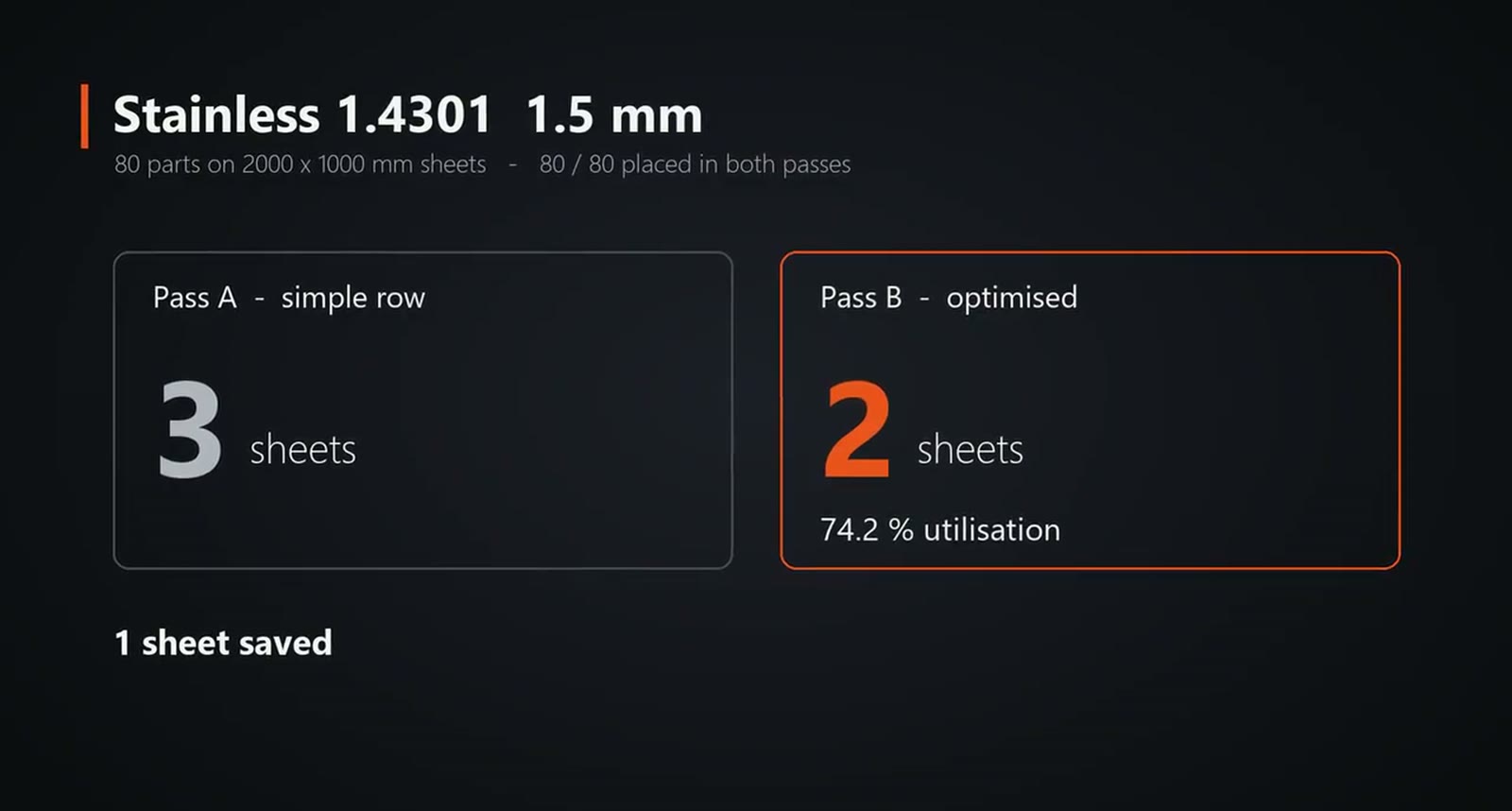
Stainless, 80 parts: 3 sheets in a simple row, 2 once the parts may turn, at 74.2 %. Aluminium, 90 parts: again 3 sheets down to 2, at 65.6 %. The triangular hood brackets pair up head to tail, and the corner gussets pair up wherever they fit.
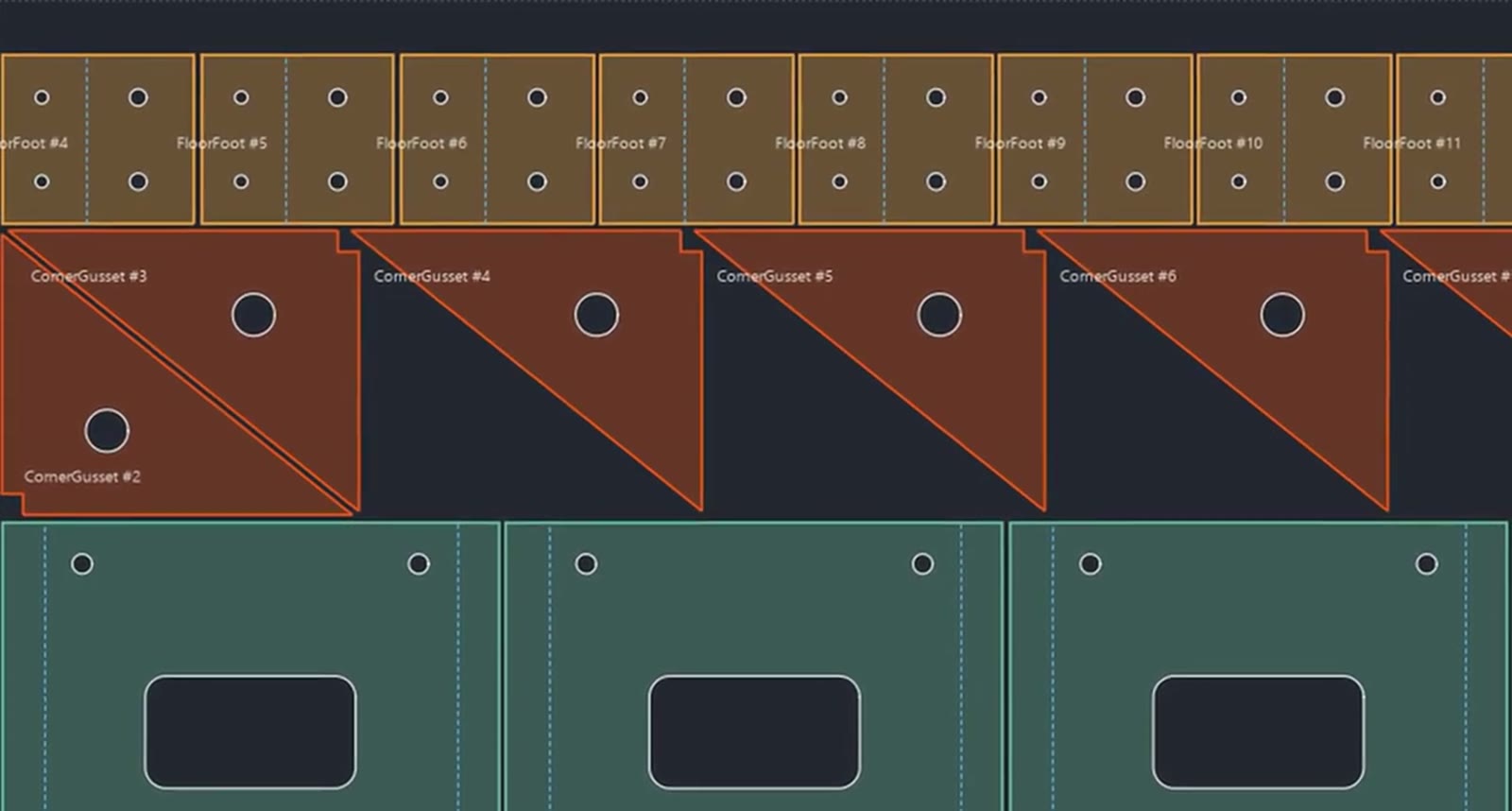
Every distinct sheet layout is written as its own cut file with outlines, holes and bend lines that are marked but not cut, plus a report for each material. The first steel cut file was drawn back at its true sheet size to check that nothing overlaps. For the whole order the video states 14 sheets down to 11, three sheets of stock saved.
OneDrive
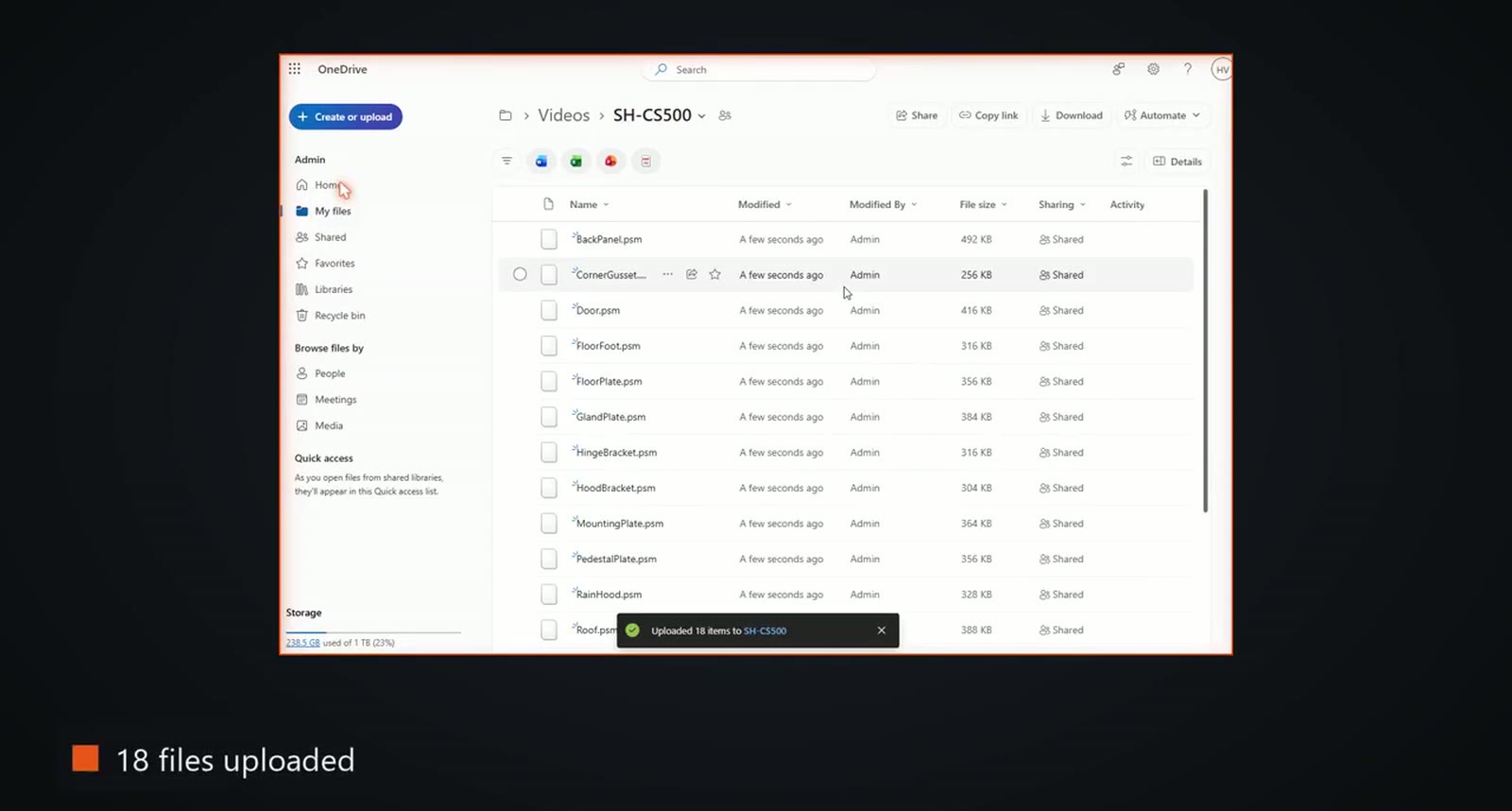
The Solid Edge design is stored in OneDrive. In Chrome, SphereHarness created the folder for the order, then uploaded the sheet metal parts and the configuration, picking each file in the Windows file dialog. The video closes by noting that nobody touched the mouse during the run.
Try it yourself
The Solid Edge page is at /solid-edge, and the first-run steps are in /help/getting-started.