

SphereHarness in two minutes: AI that works inside your CAD software
A two-minute tour of SphereHarness: requests in plain words become CAD operations in Inventor, NX, Solid Edge and AutoCAD, with Teams as a remote control.

The video plays from YouTube’s privacy-enhanced player only after you click it.
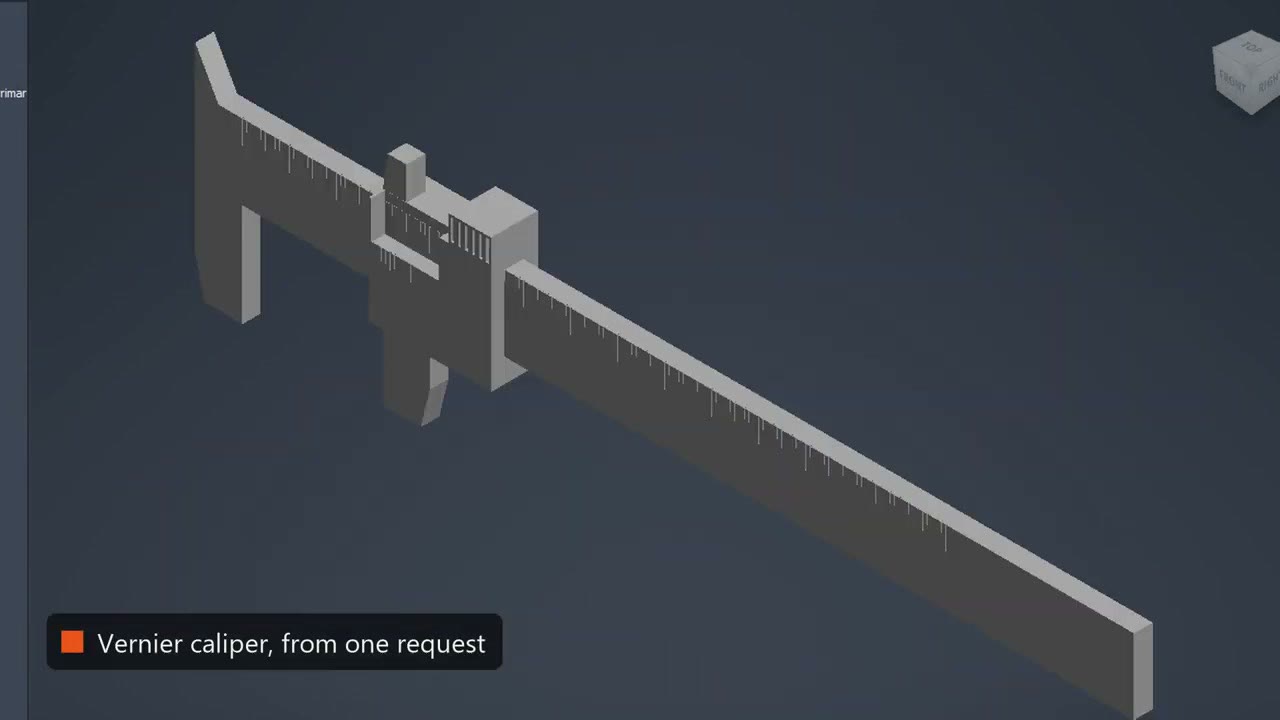
SphereHarness is an AI agent that works inside the CAD system you already use: Autodesk Inventor, Siemens NX, Solid Edge and AutoCAD. This two-minute introduction shows what a typed request turns into: a vernier caliper with 150 scale marks from one request, a drawing built from external references, a report with measured numbers, and a message from Teams that reaches another PC.
What was asked
The video opens on the idea that your CAD system could do what you ask without menus or hunting for commands. You say what you need in plain words, and every request becomes real CAD operations inside the CAD session on your PC.
What the agent did
Shapes come first: a dozen different shapes in seconds in Solid Edge, Inventor and NX, and in AutoCAD shapes, hatches, dimensions and notes. Then real assemblies, such as a vernier caliper with a beam, a sliding jaw and 150 scale marks from one request, and true sheet metal with a flat pattern.
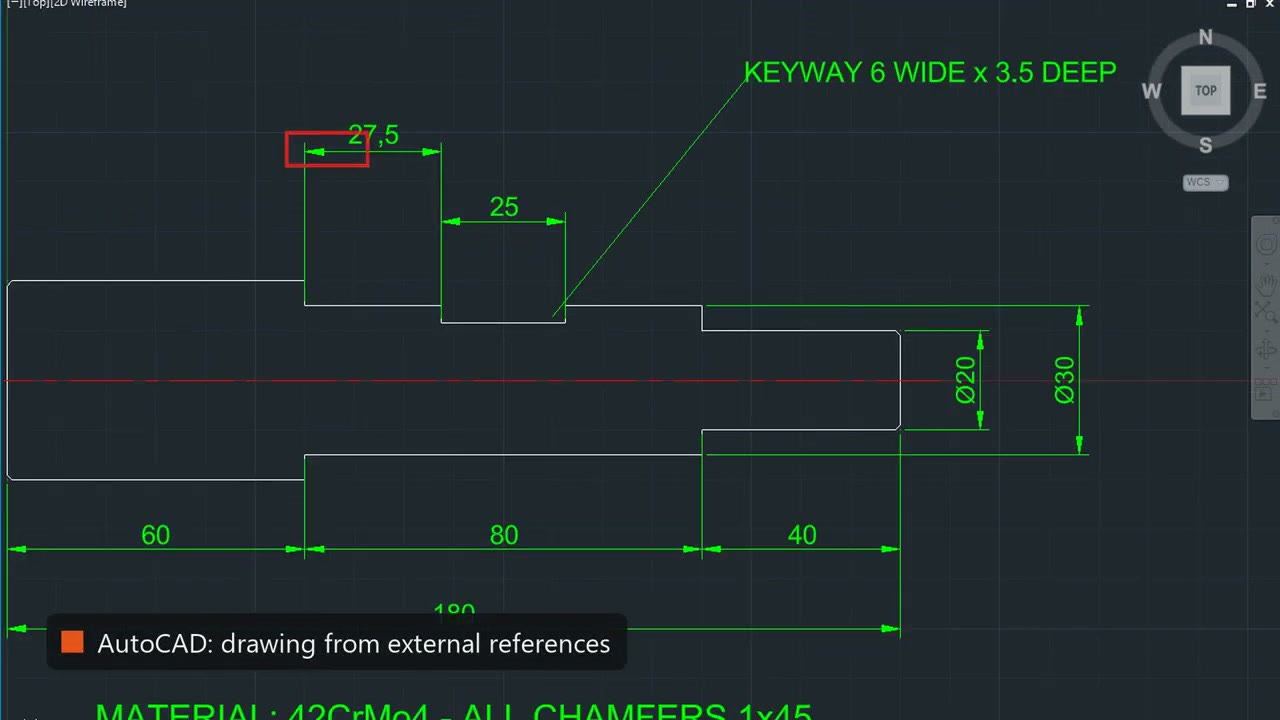
In AutoCAD the agent builds a drawing from other drawings, with the title block and the part attached as external references. The frame shows a shaft drawing dimensioned 27.5, 25, 60, 80 and 40 mm, with the note KEYWAY 6 WIDE x 3.5 DEEP.
Such a build can be saved as a skill and reused in another CAD system. The video says the same part with the same numbers came out in NX and in Solid Edge in minutes.
What we measured
Every result is measured, so you check numbers, not promises. The rest of the video lists what that covers: drawings with checked dimensions, a family of sizes from one master, stress analysis in plain words, a part from a sketch on the board, and a dead STEP file turned back into features.
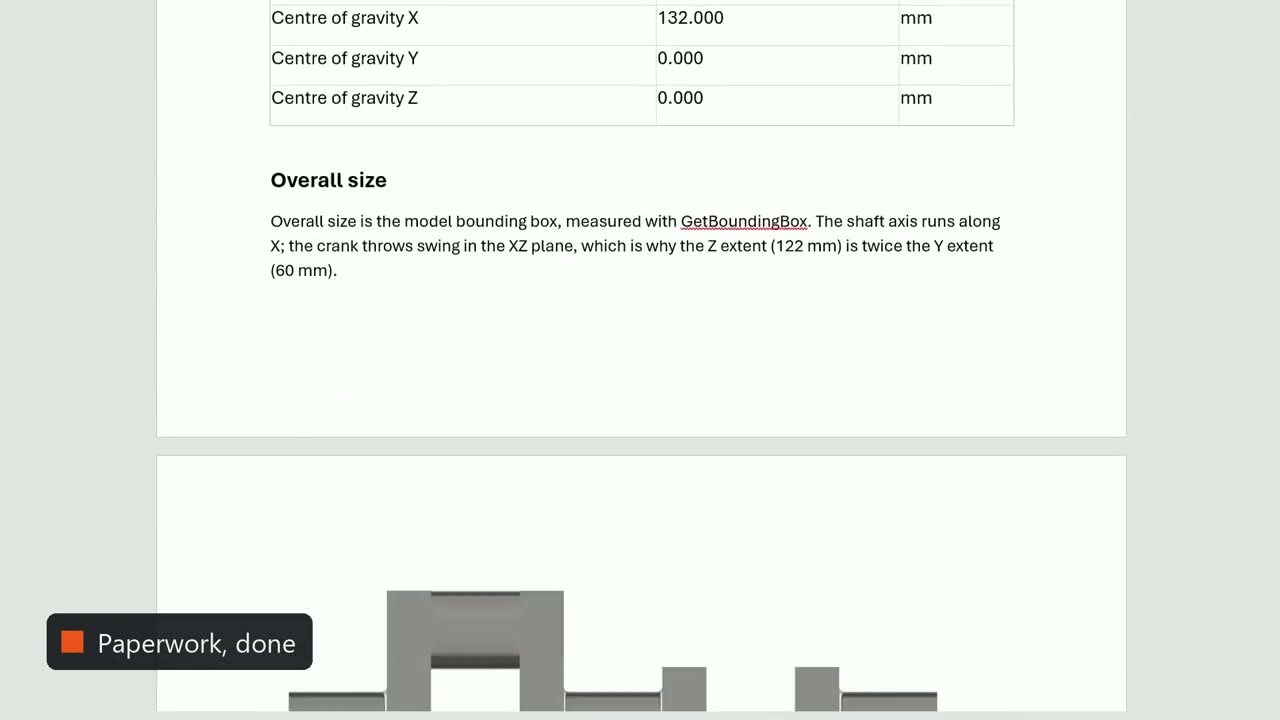
The paperwork writes itself too: Word reports, 3D PDFs and step-by-step assembly manuals.
One chat, every PC
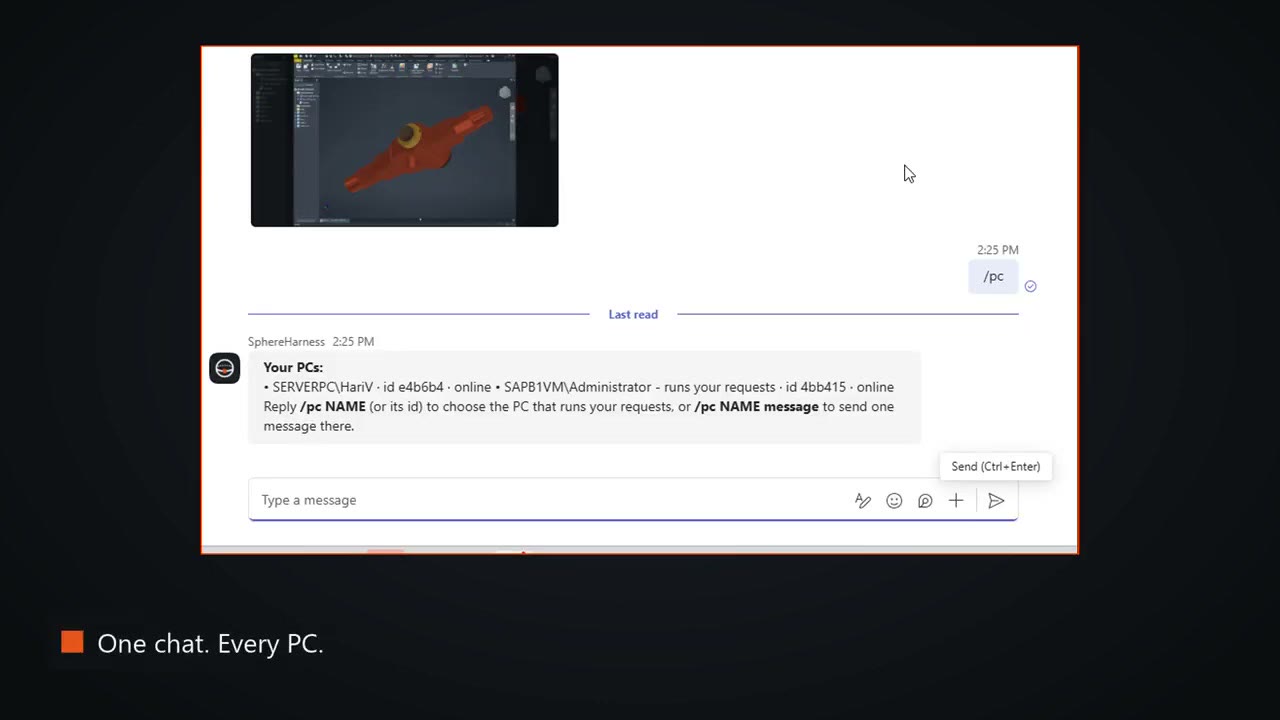
From Teams, one message reaches any of your computers: the SAP server, or the CAD workstation, and each answers in seconds. The frame shows the /pc command listing two PCs, both online.
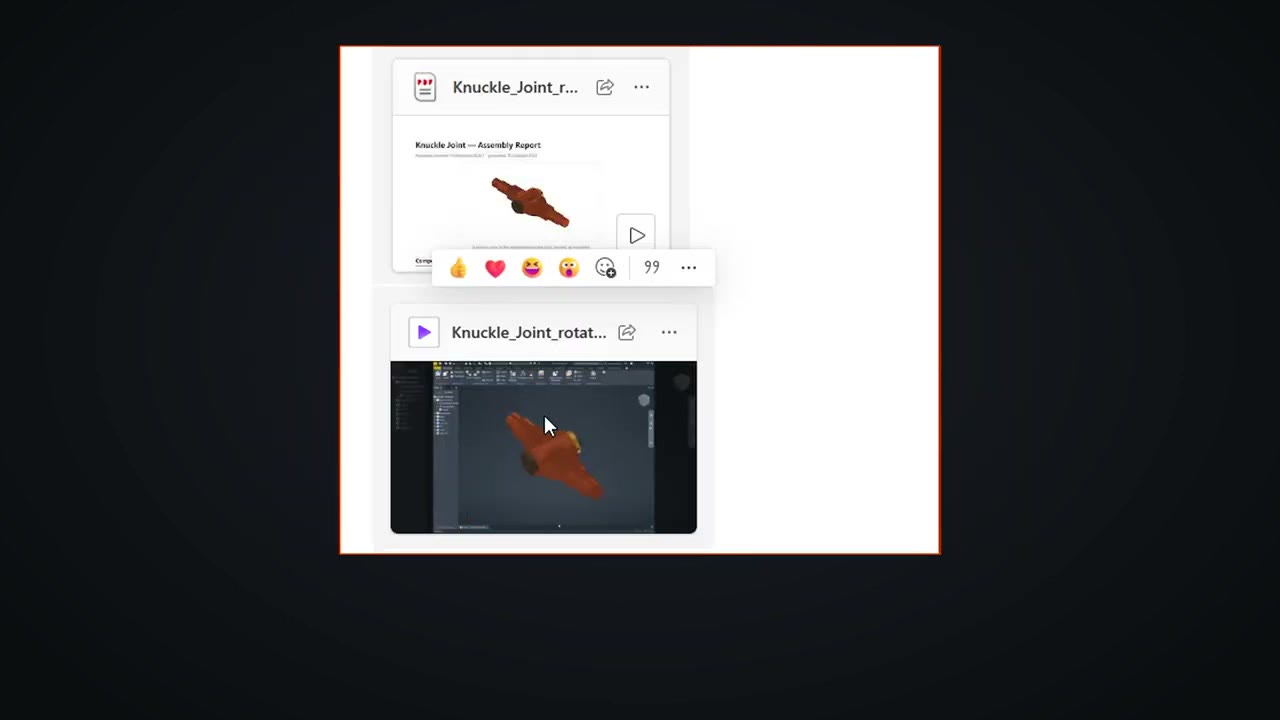
In the example, one PC spins a knuckle joint in Inventor, records it with Clipchamp, writes a PDF report and sends both files back to the chat.
Where it runs
You choose the AI: your own key, or your favourite coding agent. It runs on your PC, and the video states that your design data never passes through SphereHarness servers.
Try it yourself
The four supported CAD systems and their features are described at /features, and /help/getting-started walks through the first install and the first request.